If you are the only person using using your computer, one thing which you can probably enable is the automatic log on to Windows 8. This feature will definitely save time, but not suited for multiple user desktops. This option will bypass the login screen and open the desktop straight away after you boot the PC. The password for log on will be handled by Windows.
Similar to Windows 7, Windows 8 also supports automatic login bypassing the desktop and you can enable this feature on your Windows. To do this, open the start screen and type netplwiz and press enter. This will open the Advanced User Accounts options window.
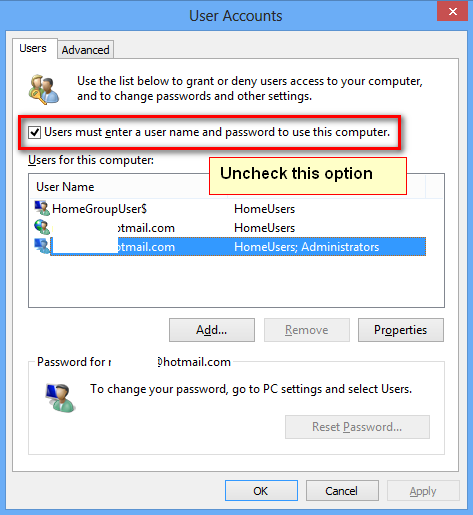
Here, select the account for which you want to enable automatic logon and then uncheck the box against “Users must enter a user name and password to use this computer”. Now when you click save, you will be promoted to enter the user name and password for that account.
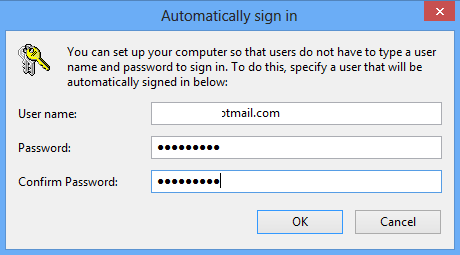
Click OK and close the Advanced User accounts window.
Next time when you login to Windows, you will not be shown the lock screen or logon option. You will be taken directly to start screen in Windows 8.