

There might be many instances when you wanted to know the IP address as it might not be a static one. There are many online tools as well to find the IP address. But now you won’t be needing them as Google has released a new feature for Google search which shows your IP address easily without having to click on any search results.
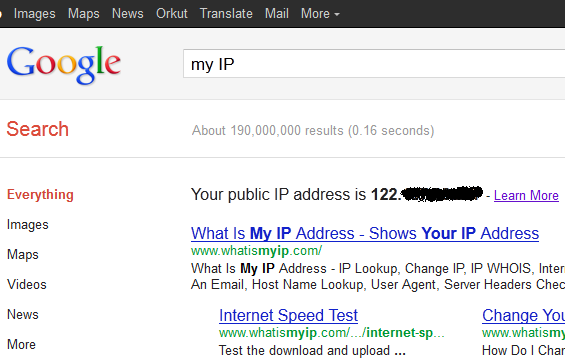
To Get the IP address using Google, open Google search and then type “my IP”or “what is my IP”or even “ÏP address” and Google will dispaly the IP address right on top of the search results. This feature is very useful to quickly find the IP address by saving a click on the first search result.
More details on this feature available here.
Thanks to Google Operating System for this tip.




You can also just type “ip” (without the quotes) and Google will display your public IP address.