

Ever since Windows 7 was released the taskbar has been hugely popular because of its features like pinning sites and apps. There are many tweaks you can do with the taskbar and to manage all these you can try out the freeware tool Ultimate Taskbar Controller. It is a lightweight application that was designed in order to provide you with a simple means of adjusting several taskbar settings with a single click. Using this app, you can easily hide the system clock, taskbar buttons or the entire taskbar.
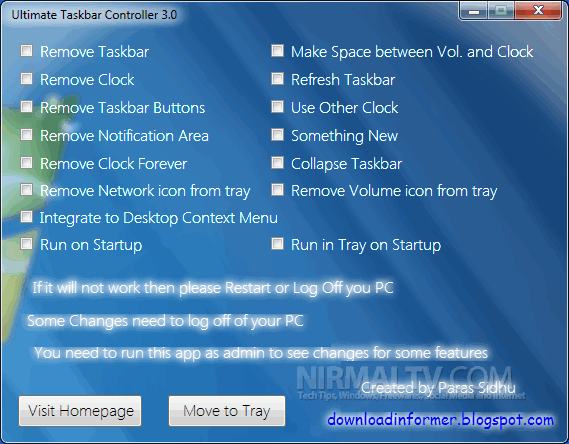
Features;
- Remove & Restore Network icon from tray
- Remove & Restore Volume icon from tray
- Move to Tray
- Run in tray on Startup
- Integrate to desktop context menu
- Run on Startup
- Info Inspector (It will tell you what is going on)
- Tray context menu
- Auto Detector added (You do not need to re-check same feature to disable)
- Remove Clock
The application is completely portable and it can be run from a USB drive as well.
Download Ultimate Taskbar Controller








Thanks Nirmal for the review.