

Error reporting is one feature which is enabled by default in Windows 7 and this allows notifying Microsoft about any critical error which encountered on Windows 7. Microsoft gathers technical information about serious errors from PCs which helps them develop patches and service packs. But in case you are concerned about privacy, you can always turn the error reporting in Windows 7.
To Disable error reporting, Open Control Panel and navigate to System and Security and open the Action Center.
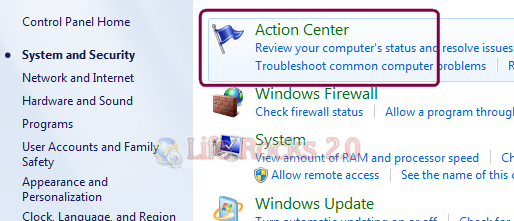
In the action center, click on the Change Action Center Settings link on the left sidebar.

In the action center setting, you might be able to see the Related Settings and the Problem reporting settings under it.

This will open the settings to change the problem reporting. There will be four options available. The first two options automatically checks for problems and finds solutions. You can select either the third option which asks you to check for solutions or the fourth one which totally disables error reporting.

Once you are selected the option, click OK and close the action center.








It has additional options in the Group Policy Editor.
This is easy and simpler than the Group Policy Editor options