Twitter is getting more and more popular day by day and also adding more features. You can customize your Twitter background and profile image any time, but here is a web service, TwiBack, which can automatically change the Twitter background and profile image at predefined time set by you. You can upload your own images and icons and the service will change automatically on Twitter background at the time set by you.
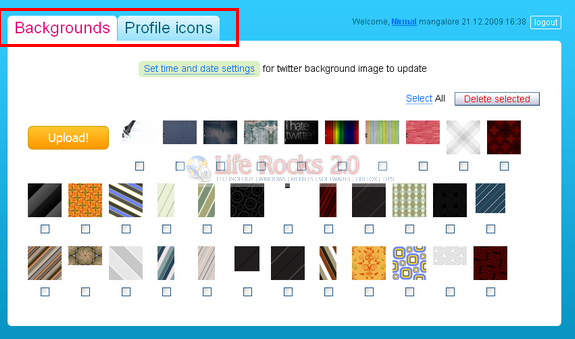
This service does not require your Twitter username and password, but uses the authentication method. You can either use the backgrounds available in the service or upload your own. Some of the instances where TwiBack is useful are;
- Change the twitter background for your birthday every year.
- If you have a good collection of wallpapers, upload them and change the background.
- If you run a company and corporate Twitter, then promote your products on the background.
- You can also use the background as advertisements.
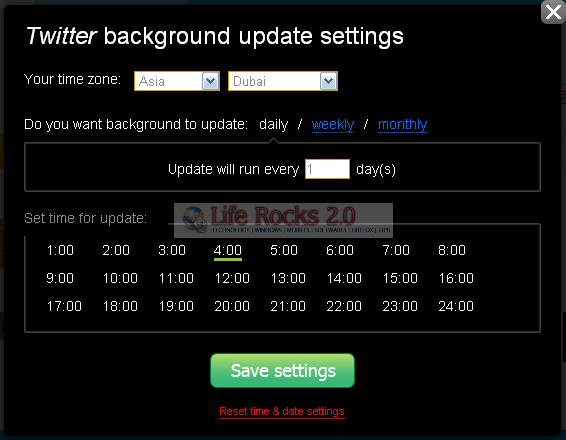
You can set the time zone and then select whether your background should change daily, weekly or monthly and then select the time. Once you save the settings, select the wallpapers and profile images. Thats it, the service will automatically change your Twitter background.