

Windows 7 has some great features and one of them being ability to change logon screen without any third party application. If you want to rotate the logon screen at each login, then Windows 7 Logon Screen Rotator is a simple free application which allows you to select 10 different images which will be randomly applied at each login. This application is developed in .Net and works only with Windows 7.
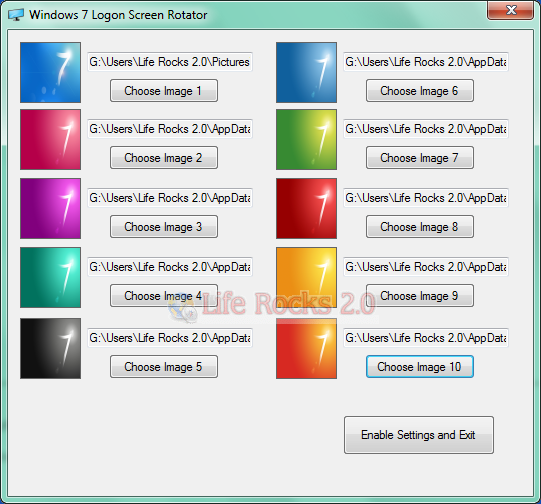
All you need is to select 10 images which are less than 250kb in size, you will need to reduce the size in case the image is high resolution and above 250kb. Once you have selected, click Enable settings and exit button. The application will ask which image to start with and you can enter the desired number.
You will need to launch this application only when you would like to change the set of images. If you wish to remove the applications settings and files, then run the included app “Remove files and settings” which will remove the settings.
Thanks to Neowin member for developing it.
Download Windows 7 Logon Screen Rotator







I have used Windows 7 Beta version and Its great. no doubt Microsoft has made huge improvements from Vista and WIn-7 is much easy to use than Linux, Mac or any previous version of Windows.
hi there i dont have a good set of immages can you direct me to the windows 7 wallpapers that u have in the picture as above please??
There is a new version avaliable! http://win7.hostoi.com/updates/1.0.0.1.zip
[img]http://img38.imageshack.us/img38/4807/screenshotnew.png[/img]
Very like!