Google has added yet another feature in Gmail labs which will add your location to signatures while sending mails. If you travelling a lot, then Gmail Labs feature that detects your location and appends the city region and country names to your signature. This would be easy for the recipient to know where your location is. To use this feature, you need to activate it from the Labs.

Once you have enabled this feature, navigate to the settings and check the box “Append your location to the signature”
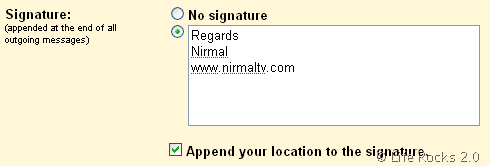
Save the settings and now when you compose a mail, it will automatically detect you location using the public IP address. The location may not be very accurate, but it will closest to the location you are in.
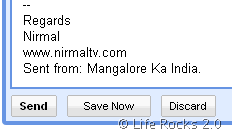
You can disable this feature anytime from the labs or can delete the location from a specific mail.