

Microsoft Office 2007 has a Quick Access toolbar at the top which has options to save, undo, redo etc. This toolbar can be customized to add more functions. You can also add custom shortcuts to any task or function.
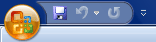
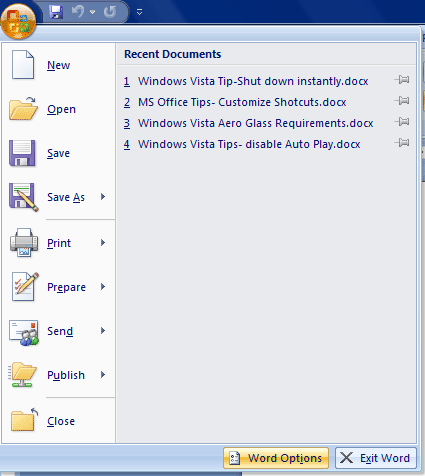
To customize toolbar and keyboard shortcuts, click on the office icon on the top left hand corner. Once it opens, you can see a word options button at the bottom, click it.
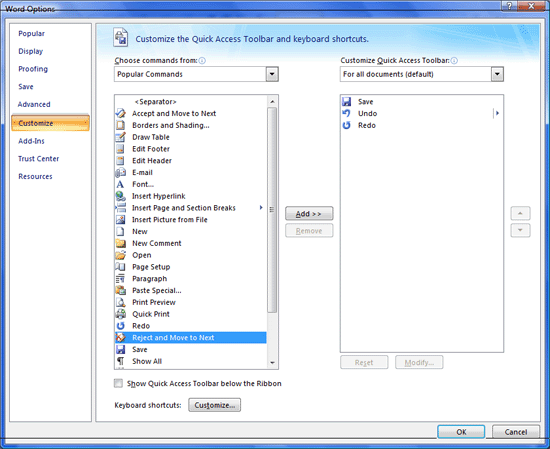
In the word options window, select the customize tab. Here you can find all the toolbar function and you can add whichever is needed to Quick Access Toolbar.
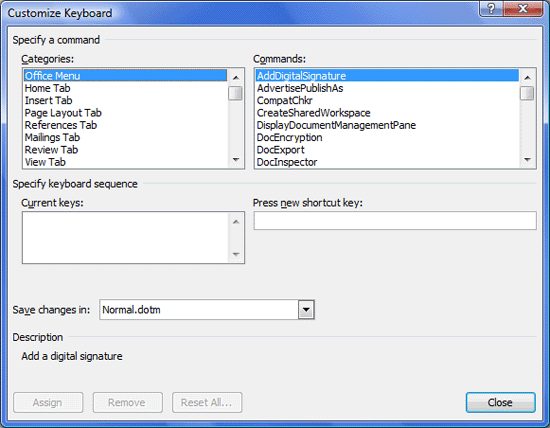
At the bottom of this there is a bottom to customize keyboard shortcuts also. Here you can set your custom shortcuts to virtually any function in Office.






The best thing is that you can add remove buttons, and also change the position. 🙂 Keyboard shortcuts are yet another area MS worked on. We know which key is to be used for what, or simple press ALT and all shortcuts keys will come up.
@vaibhav,
Right, Keyboard shortcuts are really good ones
What if you want to export that customized toolbar? in case you had to re-install or something, can you backup your settings?