

If you are a Windows XP user and wanted to have the look of Mac OS X Leopard, then here is the best transformation pack. The Mac OS X Leopard Transformation Pack is created by kampongboy92 will give your Windows XP the Mac OS look.
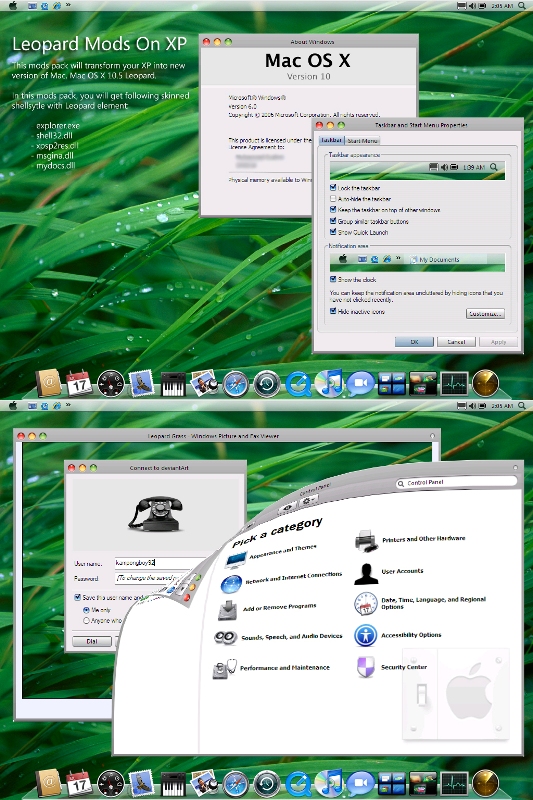
Important Notes by the Author:
- Please make backup before replace your system files.
- These files can only work in Windows XP SP2 (English version ONLY).
- Only do in SAFE MODE
Source: BrownBaron






it looks cool but i am not comfortable with those warnings..
If you’re running Linux, the use Mac4Lin to get Mac OS X effects on Linux.
http://sourceforge.net/projects/mac4lin
@Rajesh,
Even I’m not comfortable with those warnings, but this for die hard fans of Mac working with XP. 🙂
@Ashwin,
Thanks for the info.
Better still, use flyakiteosx.com
I love it so much, been using it for 5 months without a single glitch.
Thanks for the link love buddy 😀
I am never comfortable in installing these transformation packs. Way back i remember every time i installed longhorn transformation pack and vista transformation pack recently, reverting back to normal always made me reinstall the OS due to some or the other file corruption. All the best to the guys who are transforming 🙂 …
There was a similar tool which i used before called flyakite osx.
Yup am also using the flyakite osx.
looks cool, but scared about the warnings 😎
i really want that llok but im not sure
i dont know so much about that things
and i got my xp in spanish
Flyakite kind of looks bad.
Hey guys, if you find this transformation pack difficult, then try a more easy and simple interfaced Leopard Transformation Pack here.
i didnt see that many changes on my computer. only the icons changed. but my taskbar and menu is all the same blue. can somebody help me
Okay i installed the transvormation pack? now what? i only see files and stuff… HELP PLEAZE… because i really want my windows computer to look like the one in the picture above.. Thanks for the one who is going to take time and help me., YOUR HELP WILL BE MUCH APPRECIATED
How do you download this transformation pack, ive been looking for links for hours, can someone please send me link through email or paste it on the forum here, thanks
@Jake,
Are you not able to see the link in the post? You can download it from the link in the post. Check it once again.
http://www.computersight.com/Operating-Systems/Windows/Rocketdock-a-Macosx-Like-Dock-for-Windows.443271