

Security the one of the most important things while browsing the net. Its always necessary to have the latest security updates for your browser. This is one of the reasons for updating your browser. Another reason is the the availability of new functionalities in the latest updates.
Firefox has its own update manager and its settings can be configured in easy steps.
Click on Tools-> Options. In the options dialog, select Advanced Tab.
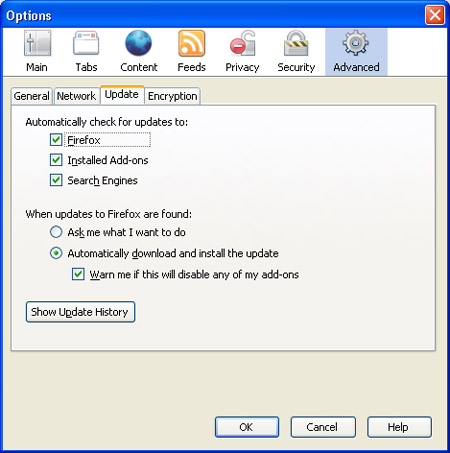
Select the Update tab in Advanced settings. Under this section, you can find which all setting have to be updated automatically. Options available are Firefox, Installed Add-ons and Search Engines.
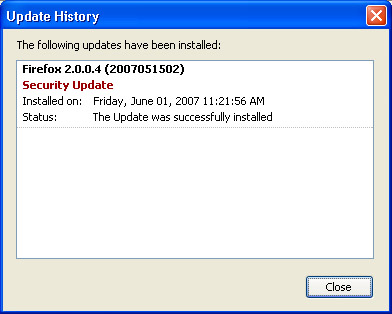
When updates are found, you can set the browser to install the new updates automatically. Show Update History button located at the bottom of the Update tab displays detailed information on all the major updates that have been applied to your browser in the past.








Good tip but will it not affect increase in bandwidth?
@Rishi,
Increase in Bandwidth? Did you mean to say updating will download the latest files and increase bandwidth?
Thanks For this Tip 🙂
Yes and also some traffic in hard disk with useless updates!
@Rishi,
Sometimes those may not be useless updates. 🙂
@ Rishi : In any case you’ll upgrade your browser so why not just make use of updates rather than downloading the whole setup file.
Thanks for the Tip Nirmal !
What a great tip! I’m seeing a lot of “Thanks for this tip, Nirmal!” And I’m thinking that I’m very lame, but is there anything else the say besides you just got yourself an extra link for this excellent article? 😀
@Grace,
Thanks for the comment and link back. 🙂
Nice tips. Thanks for sharing 🙂