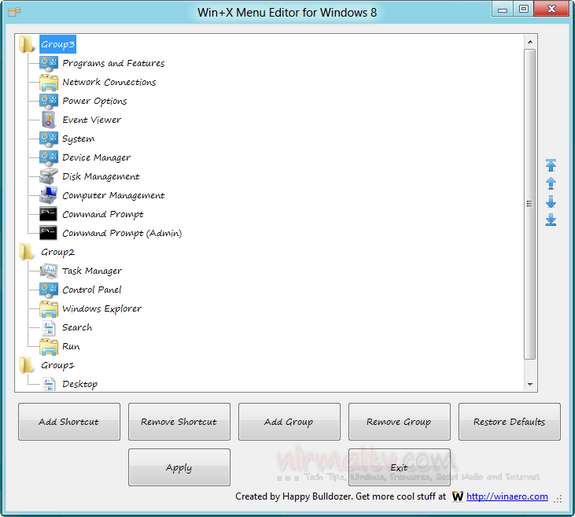
Windows 8 lots of new features along with the new Metro UI. One of the new options in the desktop is the Win +X quick menu, which we had covered in detail. This feature allows you to access Windows Explorer, ...
Read More »Tag Archives: Portable
Feed SubscriptionGet the List of all the USB Drives that were Connected to your PC
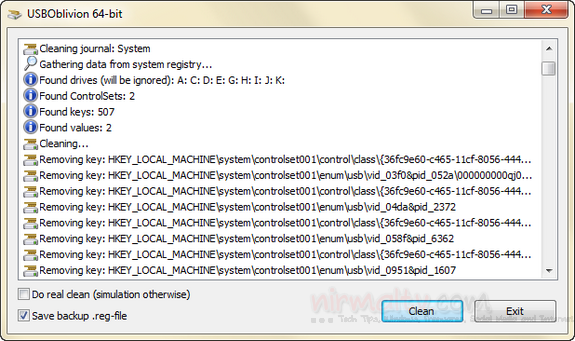
If your PC is being used by multiple people you never know how many users have used the USB drive on your Windows. USB drives are the most common way of PC getting infected with viruses. If you need the ...
Read More »Limit Automatic Login for Windows
Windows has an option where in you can set automatic logon, which means every time you boot the PC, you don’t have to specify the password. Although this is not a secure method, it is handy if you are using ...
Read More »Extract Exif Data from Images using ExifDataView
Exchangeable image file format (Exif) is a standard that specifies the formats for images, sound, and ancillary tags used by digital cameras (including smartphones), scanners and other systems handling image and sound files recorded by digital cameras. Each image captured ...
Read More »Create Bootable USB Drives with Rufus
When you are planning to install any OS on your PC, the best and easy way is to boot from a USB disk if you have ISO image of the OS. We have covered apps like Passcape ISO, Windows 7 ...
Read More »Retrieve History of All Web Browsers in One Place
We might be using multiple web browsers on Windows and all the browsers have the browsing history unless you are using private mode. Each browser has its own way to fetch the browsing history and it can be tedious to ...
Read More »Fix Common Errors on Windows with 7 Quick Fix
When you use Windows, you might have changed multiple settings, registry or other administrative features. But sometimes these changes might Windows cause errors or become corrupt. We had covered a freeware app 7 Quick Fix back in 2010 which can ...
Read More »Shutdown, Restart, Sleep, Hibernate Options in System Tray for Windows 8
We have already mentioned on how to access shutdown, restart, sleep and other power options in Windows 8 and also mentioned how to add these as shortcuts to start screen. NPowerTray is a new freeware and portable app which adds ...
Read More »Automatic Screen Capture Tool for Windows
AutoScreenCap as the name indicates, is a freeware app for Windows which can capture screenshots automatically. You can set the time interval for capturing screenshots and start the process. The app runs in the system tray and captures the screenshot ...
Read More »Convert Windows 7 Themes to Windows 8 Auto Color with ThemeConverter
As we have already covered on this blog, Windows 8 has many customization options which were not present in Windows 7 and one of them is the auto color option for themes. This feature enables the themes to set the ...
Read More »