

Yahoo has announced the availability of new beta version of Yahoo Messenger 11. The new messenger comes with lots of new features including Facebook Chat. Windows Live Messenger has recently introduced the Facebook chat features and now Yahoo has also integrated Facebook chat in Yahoo Messenger 11. To use Facebook chat, you need to first add your Facebook account into Yahoo Messenger. Once you install Yahoo Messenger 11, you can see the option to add Facebook chat when you log in.
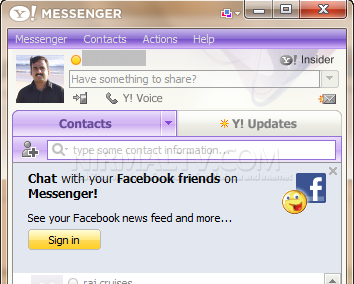
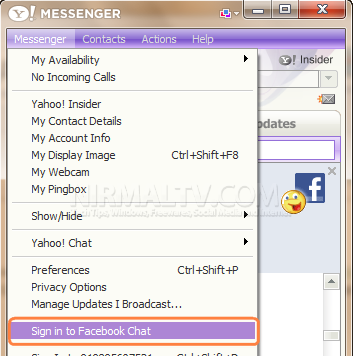
You can also connect to Facebook chat from the Messenger menu by selecting “Sign in to Facebook Chat”.
Related: How to Enable or Disable Facebook Chat in Windows Live Messenger 2011
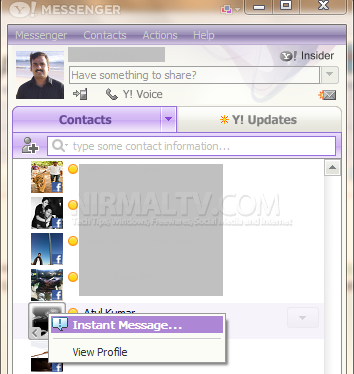
Once you have authenticated Yahoo to use Facebook, you can see all the contacts online in your Yahoo Messenger. You can right click on any contact and then sent an instant message.
In case you want to sign out of Facebook chat, use the messenger menu and select “Sign out of Facebook Chat” option.






There’s no option “sign in to facebook chat” !!!
how to get option “sign in to facebook chat” even i dont have that option….
You can’t, unless your yahoo messenger version is 11.
When installed, log in to Yahoo Messenger and then Click the Link to Facebook banner within the main window Or you can open the Messenger > Preferences > Connected Networks tab and then click the Add Facebook button
i did link it and it keeps telling me its associated with another external account wat does that mean. i would appreciate a prompt response to my problem thank you
How I can make chat using yahoo
thats wut im sayin i do not want to download