

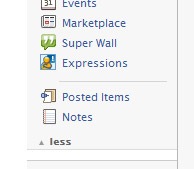
Facebook has an feature by which you can add RSS feed of your blog into Facebook. By this feature you can share the posts of your blog with your friends and display them on you profile. To add your blog feed, login to your Facebook account and click on notes in the left navigation. Once you click notes, you can see “Import a blog” in the right side under note settings.
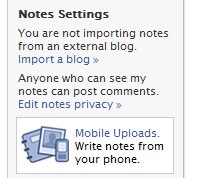
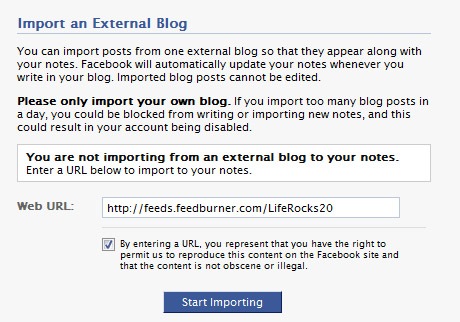
After clicking Import a blog, you need to enter the url of RSS feeds of your blog and click start importing. Facebook will automatically update your notes whenever you write in your blog. Imported blog posts cannot be edited. After importing, you need to confirm the import.
Now all your blog posts will be available in notes and will keep updated. You can share these posts with your friends and also display them on your profile page.






Very handy Nirmal. I think you should create another blog just about FaceBook! 😉
Does syndication to social websites like orkut and facebook help? What is the level of traffic that you get from these sites?
@Aseem,
Initially I thought of starting a new blog, but then its a difficult task, so I settled writing over here.
even orkut has implemented this feature
I’ve been using Facebook for quite some time now, but I never saw this option. I used other apps for this purpose. Thanks a lot for sharing this tip 🙂
@Rajesh,
It depends on the network you have in these social sites, if you maintain good network with your friends, then there could be some traffic from these sites.
I have been using this feature in facebook since long time 🙂
same thing as Haris. i was using an app to import them. nice post man!
Excellent tip way easier than the rss pug in apps 🙂
I’ve developed blogging application for Facebook:
http://www.facebook.com/apps/application.php?id=127423355320
It allows you to import posts from external blogs and display them at your profile (both profile box and profile tab are supported).
I think this application may be useful when you’re not satisfied with Notes.
i think you need to update…..not there now…
Hi Nirmal, Thanks for the post. I have an issue with this. Facebook notes are not updating my new articles on the blog. I have to do so manually. Any suggestions.
Hi Nirmal,
But i am not able to see full content of RSS Feed. It is showing only first few ones. What can be the problem
As of 6/12/2011, doesn’t work — there’s nothing like the “import a blog” link mentioned anywhere on my Facebook notes page.