

If you create lot of folders on your desktop or on your drives, then it becomes difficult to identify each one of them because of the plain yellow color of folders in XP. So why not customize the looks of folders a bit. Customizing folders is pretty easy task. Right click on the folder and chose properties. In the properties menu, select the customize tab. Now use the change icon button to select another Windows icon or you can even set your own icons for folders.
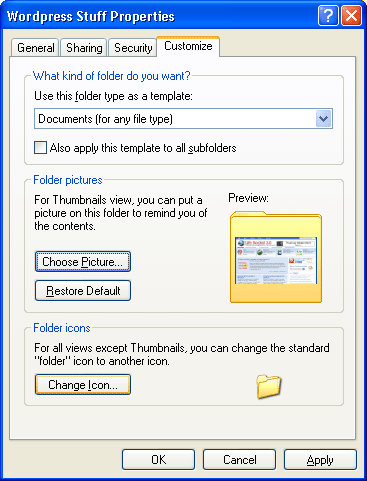
Alternatively you can also keep pictures as thumbnail images for folders using the chose picture button in the properties tab. This is specially good if you are using thumbnails for artists in your music folders.






this is a good tip, i can set different icons for diff folders. 🙂
To differentiate some folders on my PC, i use a freeware called “Folder Marker”. You can have folders with colors and icons inside it.
@Ram,
Glad that you liked it. 🙂
@Syahid,
I have heard about Folder marker, but never used it.