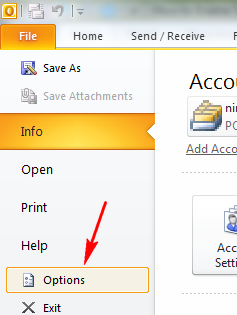
When you have large number of emails in Outlook 2010, it might be difficult to find out a particular email sent long time back. If you know the sender’s name you can always use the advanced search in Outlook. But ...
Read More »Tag Archives: Office 2010
Feed SubscriptionHow to Set Up Automatic Replies (Out of Office) in Outlook 2010
You can set up Outlook 2010 to automatically respond to people who send you e-mail messages when you are out of office or on a vacation. We had covered Out of Office settings for Outlook 2007, but in the new ...
Read More »How to Upgrade from Office 2007 to Office 2010
Office 2010 is in RTM stage and the general availability is slated for mid June 2010. If you have purchased Office 2007 after March 2010, you are eligible for a free upgrade to Office 2010. If you are a Office ...
Read More »How to Add a Screenshot in Email with Outlook 2010
Outlook 2010 has lots of new features and improvements along with the ribbon feature introduced. Outlook 2010 has the ability to add screenshots to your email directly from inside the new email compose window. You can easily capture a screenshot ...
Read More »How to Add Styling to PowerPoint 2010 Video
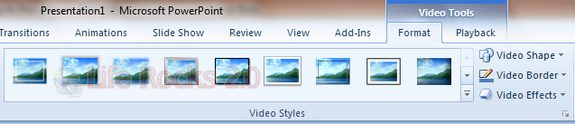
PowerPoint 2010 has the ability to add videos to presentation, either from web or added from your desktop. We have already covered on how to play videos automatically. Before you save the presentation, you can do various styling to your ...
Read More »How to Automatically Play Videos in PowerPoint 2010
PowerPoint 2010 has many new features and options for presentations, including the option to broadcast presentation over the web. You can add videos to PowerPoint 2010 presentations, either from external video sites like YouTube or else you can also add ...
Read More »How to Hide or Protect a Excel 2010 Worksheet
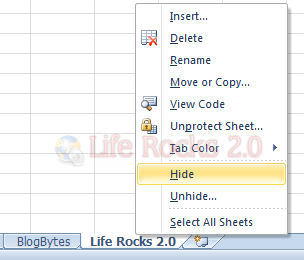
You can create multiple worksheets in Excel 2010 and it also has the ability to hide a particular worksheet or protect it with a password. When you hide a worksheet, it will not be visible to users unless you unhide ...
Read More »How to Change Text Case in Word 2010
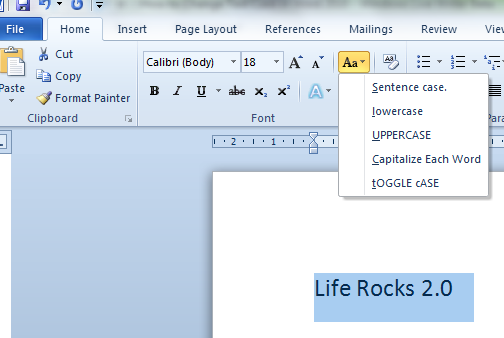
While formatting Word Documents, many times you would want to change the text case, especially of headings. But typing them again in another case might not be a feasible option when the document in itself is a big one. You ...
Read More »How to Save PowerPoint 2010 Slides as Images
We have already covered various awesome features included in PowerPoint 2010. If you have created a nice presentation, you can also save it as images, each slide converted to an image. This would be handy in case you find that ...
Read More »How to Change the Resolution of PowerPoint 2010 Presentation
PowerPoint 2010 has an option to set the resolution of the presentation. You can chose these screen resolutions to use it for full screen slideshows. Smaller resolutions display faster, but higher resolution can show more of visual details. In case ...
Read More »