Tag: OneNote 2010
Gem for OneNote- Must Have Add-in for OneNote Users
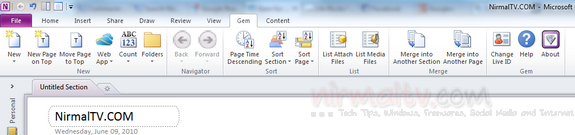
OneNote is one of the best note taking app with support across multiple platforms and mobiles OS and its integration with Office 2010 suite makes it even better. We have covered many add-ins for Office 2010 on this blog and here is another awesome and must have add-in for OneNote users. Gem for OneNote is [...]
Insert Mathematical Symbols, Calculations and Charts in Word and OneNote
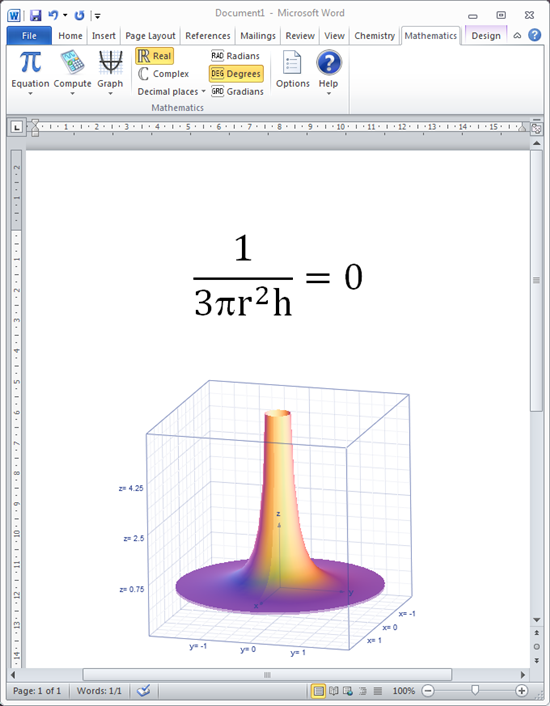
Microsoft Mathematics Add-in for Word and OneNote allows you to insert mathematical symbols, calculations and charts in Word 2010 and OneNote 2010. You can perform mathematical calculations and plot graphs in your Word documents and OneNote notebooks. The add-in also provides an extensive collection of mathematical symbols and structures to display clearly formatted mathematical expressions. [...]
How to Password Protect OneNote 2010 Notebook
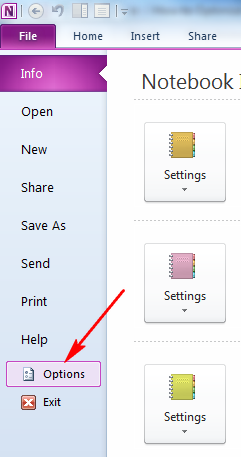
We have covered lots of useful features of OneNote 2010, which is an amazing note taking application. In case you are using OneNote to save any secure or confidential information, it is always advisable to password protect it. You can password protect any notebook in OneNote 2010. One important thing to note is that in [...]
How to Optimize OneNote 2010 Files
We have covered on how to optimize OneNote 2010 for better battery life when using it. Similar to optimizing for battery life, you can also optimize OneNote 2010 for better hard disk space usage. Optimization can reduce the size of OneNote 2010 files on your PC. To start optimizing OneNote 2010, click on the file [...]
How to Add Links to Another Notebook in OneNote 2010
We have discussed lots of features of the very useful note taking application, OneNote 2010, included in Office 2010. If you have opened lots of notebook inside OneNote 2010 and want to link between two notebooks, you can easily do it with the hyperlink feature in OneNote. With this feature, instead of adding an external [...]
Access OneNote Online with OneNote Web App
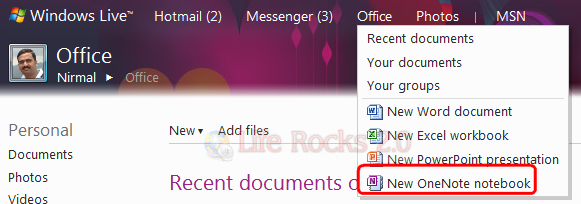
Microsoft had released the web version of Office 2010 recently and they have also included the OneNote Web app in the online Office suite. OneNote 2010, as we have discussed here in this blog, is an amazing tool for taking notes. The free online version of OneNote makes it useful in case you do not [...]
How to Email a Page in OneNote
OneNote 2010 is a very useful note taking application included in Office 2010. OneNote 2010 has the option to email any note directly from OneNote interface using Outlook 2010. This is a pretty useful feature especially if you want to email a set of links or articles selected from the web and noted to OneNote. [...]
How to Change Page Color of OneNote 2010 Notebook
We have written lots of tips on getting the best out of OneNote 2010, which is by far one of the best note taking applications and is included in Office 2010 suite. Another feature available in OneNote is that you can change the page background color for each notebooks available in OneNote 2010. Changing the [...]
How to Use OneNote 2010 as Calculator
OneNote 2010 included in Office 2010 suite is an amazing note taking application with lots of features. One of the useful features of OneNote 2010 is the ability to use as a calculator. Assume you are attending a lecture or an business meeting and you want to quickly calculate big numbers. Instead of opening the [...]