

With the release of Windows 8, there will be another important release, the Windows Store. Using Windows store, you can directly install apps on your PC, without having to download the installer separately. These apps will have the modern UI of Windows 8. Apart from these, there are several other default apps which ship with Windows 8 including travel, news, email, weather, calendar etc. If you open the control panel and check the install apps section, you might not find these apps installed from Windows Store. So how do I uninstall the apps installed from Windows Store or the default apps which ships with Windows 8?
You can uninstall any apps from the start screen itself and it is pretty easy task as well. Just right click on any app which you want to uninstall and this will pop up a menu at the bottom.
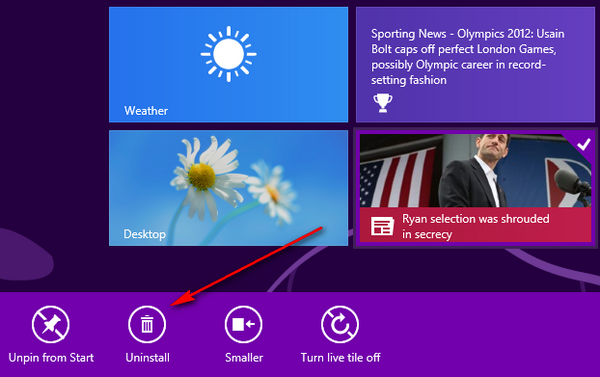
The menu has the option to uninstall the app. When you select uninstall, you will be promoted with a confirmation on weather you want to uninstall it.
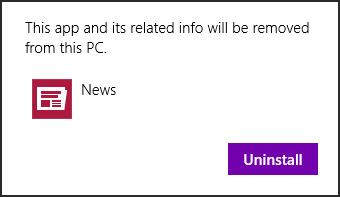
Once you click Uninstall, the app and its related info will be removed from the PC.




Nice info which will work better for all.
Use AppxManager – Windows Store Application Manager.
http://www.appxmanager.hol.es
Try new Windows Store Application Manager
http://www.winstoreappsmanager.jklush.com