

If your PC is used by multiple users, you might not have a control on the apps and toolbars installed by other users. Some of these toolbars and apps could contain malwares, trojans and other spywares. If you want to prevent unauthorized installations of any software on your computer, then you can try out InstallGuard. It is a freeware tool for Windows which can block all new software installations and only allow authorized users to install new software, helping you protect your system and privacy.
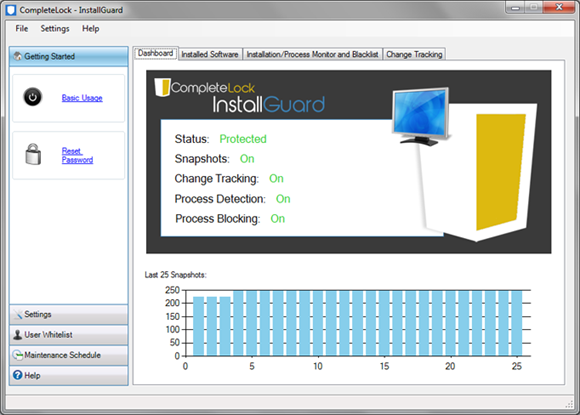
The program runs from the system tray and watches for running processes and installations with specific keywords in the process name. By default, it looks for “Setup” and MSIEXEC”, but there is option to add additional keywords to the list which you intend to block.
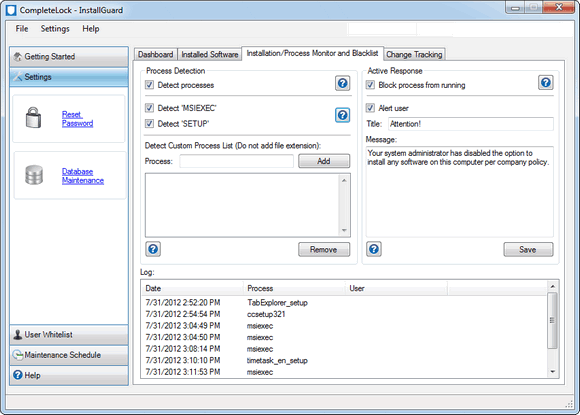
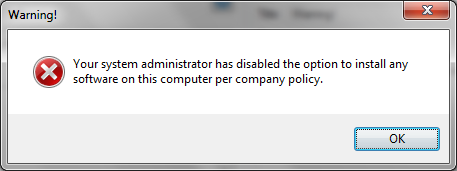
From the logs of the app, you can view the list of installs which were blocked by the app for all users. You can set a master password so that the app cannot be closed by any user. Whenever any application is installed, it prompts an error message.
Functions of InstallGuard;
- Monitor every single new software installation on any Windows PC.
- Block unauthorized applications from running on your computer.
- Track changes made on your system by monitoring and keeping track of every new software installation, including what was added and what was removed throughout the day.
- Stop spyware, malware, adware and unwanted bloatware at its roots by preventing them from running
As of now the app is in beta stage and there were few apps which were able to bypass the settings set by the app. Overall, the concept of InstallGuard is good and if the final version is able to perform well, then its a tool worth trying.








I provide standard user account for others who wants to use my pc. So they they can’t install any software.