

Generally whenever you have issues with Windows for which you are not able to find any solutions, then the next step would be to reset to factory settings on your PC or reinstall Windows. The same is the procedure for Windows 8 as well although Windows 8 has an additional option in the form of Reset and Refresh. But the main problem with reinstalling Windows, is that you need to manually take a backup of your documents and files and also reinstall all the apps you had on your previous install.
RecImg Manager is a new way for users to restore and reinstall their entire Windows 8 and software in minutes without losing personal documents or files. RecImg Manager will work on any Intel-based device running Windows 8 and the restoring of all apps and files is a very unique feature of this app.
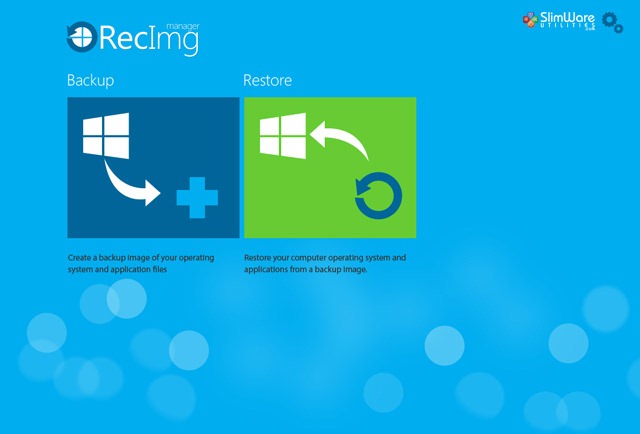
The app interface is inspired by metro and has two options, backup and Restore. The application creates a snapshot of your Windows 8 install on to the drive you specify. RecImg Manager provides an automated, easy-to-use touch interface that makes reinstalling Windows 8 fast, intuitive and simple, all working seamlessly on both touch-screen devices and traditional mouse-and-keyboard devices.
You can backup to networked drive or an FTP drive along with local drives.
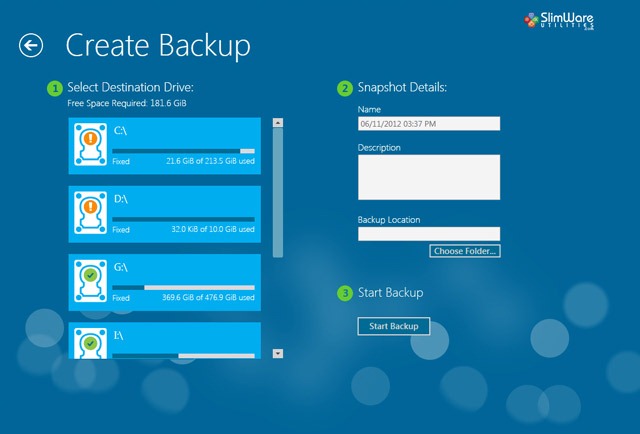
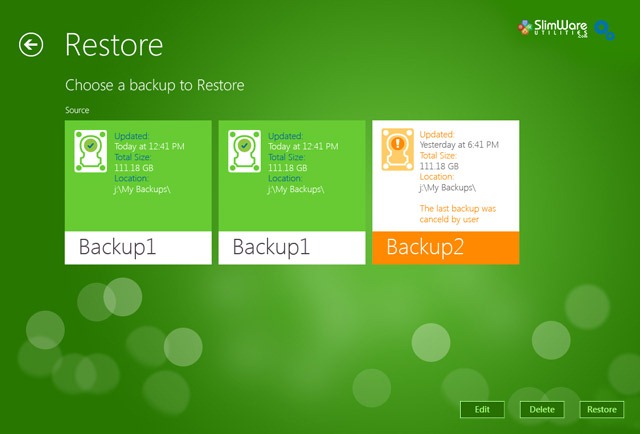
In any case you want to restore the OS if you find issues, then click the Restore button on the home and it will show you all the backups available for restoring.
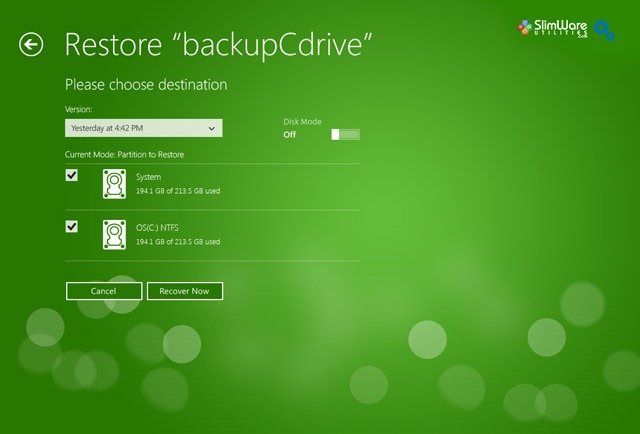
Once you select the backup, it will prompt you to select the destination where you want to restore the app to.
Overall, the app is a neat one for all Windows 8 users especially leaving the pain to install every bit of software individually. With RecImg Manager, Windows and every piece of installed software can be recovered. Your entire system can be restored to its original state without personal data loss.
This is a must have app for Windows 8 users and we recommend it to our readers.







