

Windows offers the option to hide files from the Windows Explorer and you can display hidden files using the option menu in Explorer. There is also option to view the extension for known file types. These two options are available in Windows Explorer, but togging these is not quite easy as user has to go through few screen before they can show or hide these options. Hifito is a small utility for Windows, that allows to quickly toggle the “Show hidden files” and “Hide extensions for known file types” Explorer settings.
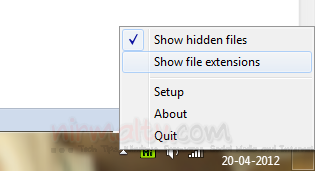
Once you run the portable app, it sits in the system tray and you can easily toggle these options. There are two options- one is to show hidden files and second is to show file extension. You can even set hotkeys for toggling using the settings for the app.
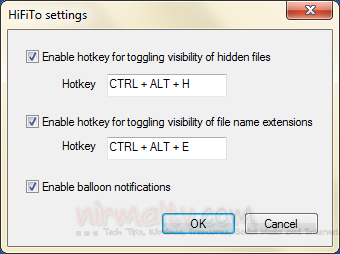
The app is pretty useful with the shortcut keys to toggle the options in Windows Explorer.







