

When it comes to playing multimedia files, Windows does not support all formats. You might have seen error messages that codecs are missing while trying to play certain files on Windows Media player. In such cases you can either download a media player capable of playing the format or download and install the codecs pack. If you are using Windows 8 and having issues with codes, then you can install the Windows 8 Codes pack. Win8codecs is a free package that contains all the decoders you need for video playback on the upcoming OS from Microsoft.
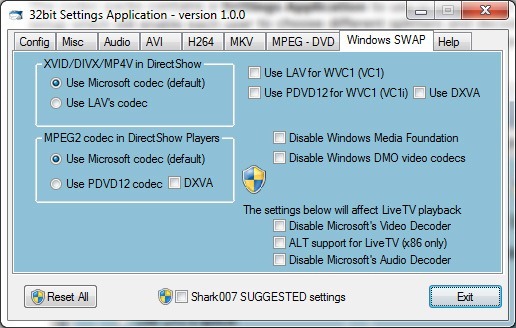
MKV playback is fully supported including thumbnailing. You can choose any media player you want, everything will play. H264 / AVC, hi10p / 10bit codecs are available for use by all players.
The codec are available in 32 bit and 64 bit versions.
The following file types are enabled and supported by the installation of the Windows 8 Codecs: amr | mpc | ofr | divx | mka | ape | flac | evo | flv | m4b | mkv | ogg | ogv | ogm | rmvb | xvid. All of the above file types can be queued to the Windows Media Player Playlist using a right-click.





Just download and install VLC media player its far better and doesn’t require any Codec.