Microsoft has released the Windows 8 Consumer preview last week and you can either upgrade from Technical preview, upgrade from Windows 7 or do a clean install. But before you install or upgrade, you need to make sure that your PC is capable of running Windows 8. Instead of check the PC requirements, Microsoft has made available a tool to check if your PC is capable of running the new OS. The set up file will check your PC for the requirements and also tell you any apps which are not compatible in Windows 8.
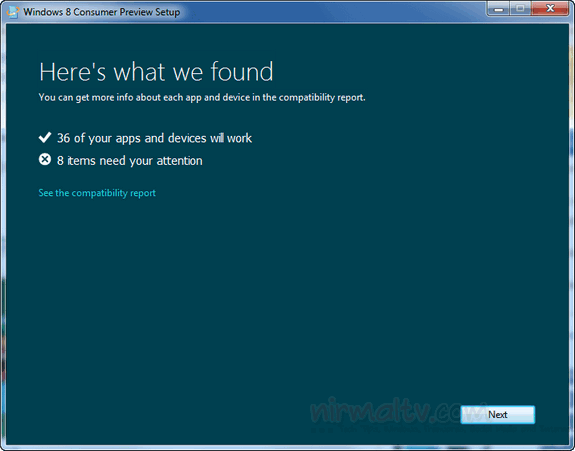
Once you run the test, it shows the possible areas which needs your attention before installing. The report also tells you which all apps are not compatible with Windows 8. This tool is handy if you are upgrading from Windows 7 as well.
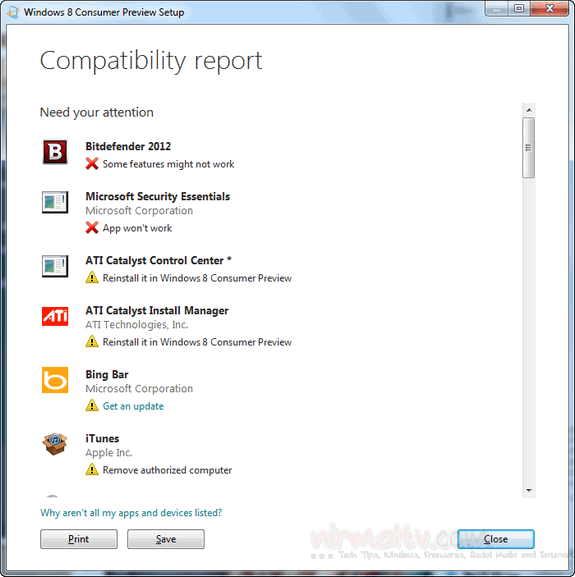
The app will check whether your system is suitable for installing Windows 8 and also will advise you on possible conflicts. Finally it will allocate a Windows 8 product key and will then download the relevant version of Windows 8 for your computer.