As we have already covered on this blog, Windows 8 has many customization options which were not present in Windows 7 and one of them is the auto color option for themes. This feature enables the themes to set the Windows aero color based on the theme wallpaper automatically instead of static color like in Windows 7. ThemeConverter for Windows 8 is a simple freeware app which allows convert regular theme to auto color aero themes with one click. The program uses the latest feature in Windows 8.
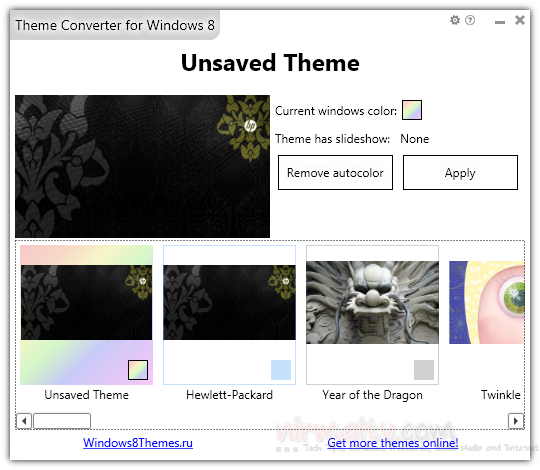
You can go to Windows Personalization Gallery and grab some cool, awesome themes, once installed, run the ThemeConverter for Windows 8 and convert any theme you want to theme with auto color with one click. You can apply theme from software directly.
You can also convert the theme back to static color any time. The app is portable and easy to use.
Download ThemeConverter for Windows 8