Jumplist was a feature which was introduced in Windows 7 which allows you to perform quick tasks directly from the taskbar for apps and services which supports jumplists. For web browsers it used to show the last browsing history and other details. But there wasn’t any option to control the jumplists in Windows 7, but with Windows 8, there is a tab in taskbar properties window where you can specify jumplist settings. To get this option, right click on the taskbar and click properties.
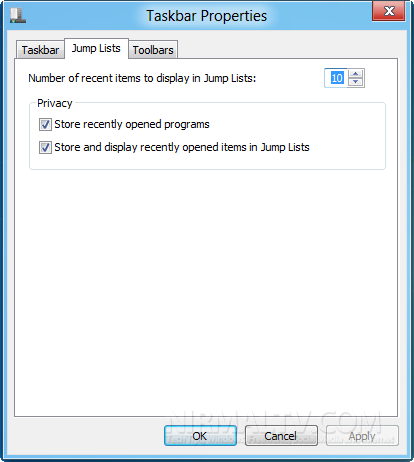
You can see Jump lists as the second tab in taskbar properties window. Here you can specify the number of recent items to display in jumplist. Apart from this you can also select to show the recently opened programs and store and display recently opened items in jumplists.
Since this is a developer preview, we expect to see more features in the coming versions.