

Most of the programs when installing on Windows creates shortcuts on desktop. Moreover users might have also created their own custom shortcuts for easy access of files and folders. But when you uninstall the program or remove the actual file or folders, these shortcuts become invalid. Shortcuts Search And Replace is a freeware app for Windows which allows to search for all the shortcuts, replace them with your desired ones and also delete invalid shortcuts.
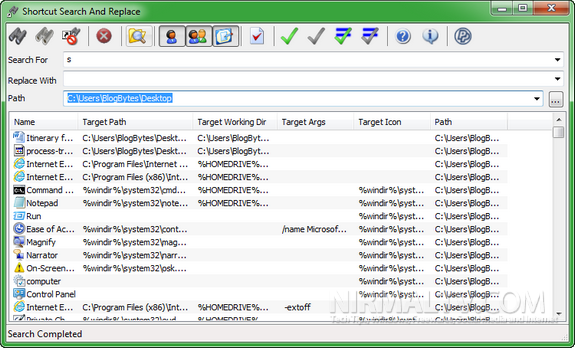
Once you have searched for shortcuts, you can replace them in one go or one by one. You can select the shortcut to replace and then specify the new path in the replace box. There is also option to search for invalid shortcuts. Once invalid shortcuts are detected, you can try resolving it by using the resolve button.
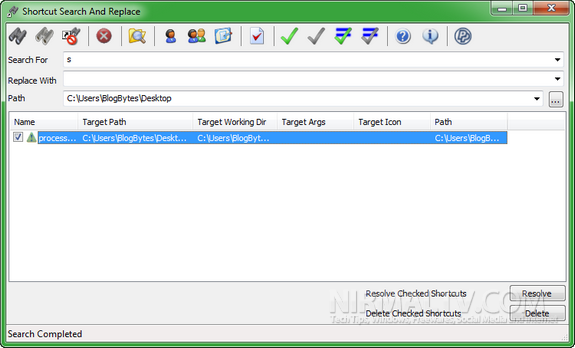
The app is useful for operations on shortcuts like:
- Search for shortcuts target path, working directory, arguments, and icon location content
- Replace multiple shortcuts target path, working directory, arguments, and icon location content (useful if you move portable applications paths or directory)
- Search dead links, to resolve or delete them (multiple resolves/delete in one click)
The app is completely portable and does not require any installation.
Related Reading: Fix Broken Shortcuts in Windows
Shortcut Search and Replace is a very useful tool to manage shortcuts and delete invalid ones.

Download Shortcut Search and Replace








Nice Software .. I try it on my PC 🙂
Nice tool.
The Bad Shortcut Killer is also one good.