You might have installed lots of extensions on your Google Chrome and when you have too many installed, managing them might not be easy. If you want to to disable or uninstall any of them, you have to search through the list of all extensions. Extensioner is a neat extension for Google Chrome which allows users to easily toggle them on and off. You can simply set up a group of extensions and you’ll have two-click access to enable or disable them all at once.
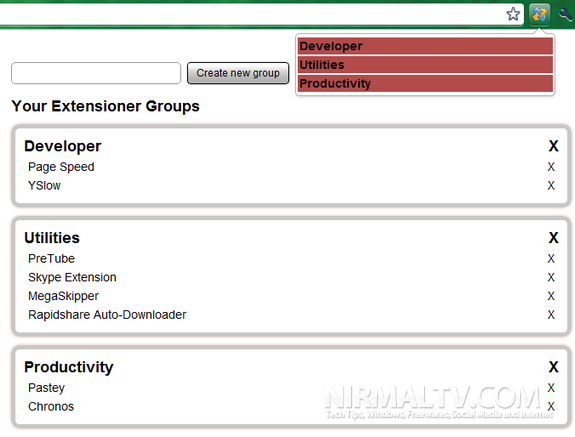
You can create a group and add your extensions into it. For example you can group extensions YSlow and Page Speed into developer tools and when you want to disable these two, just disable the developer group and all the extensions under it are disabled.
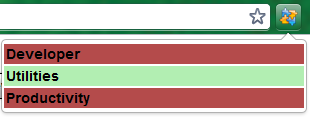
The green color shows enabled group and red shows disabled ones. You can create any number of groups and enable and disable them in single click.