

Quick Response or QR codes are now gaining popularity with QR scanners available for cameras, mobile phones, smartphones etc. They can store any information like URLs, phone number, text etc. We have covered a tool to create QR Code online. Now if you do not have a scanner to scan and read the QR codes, then here is a simple portable desktop application, OnBarcode, which can quickly scan and read the information from QR codes.
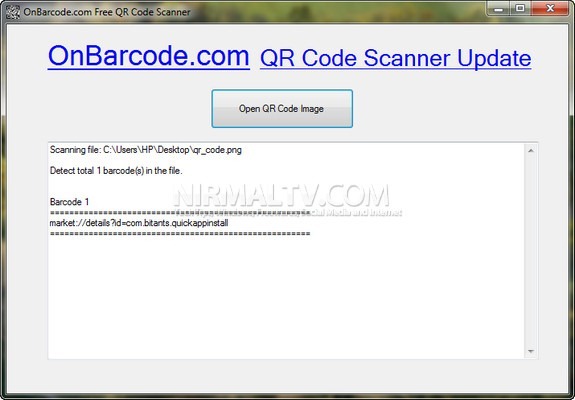
Open the application and then browse for the image with the QR code. The application instantly fetches the information included in it.
It can scan QR Code barcodes from multiple image formats, like BMP, GIF, JPEG, PNG, TIFF formats and also reading barcode QR Code from multi-page TIFF documents. OnBarcode is simplest of application is easily scan and read the information in QR codes without having a camera or smartphone app.







