

PDF is most commonly used format when it comes to sharing documents and just like any other documents, PDFs can be restricted from copying, editing, printing or even merging. These are permission set on the document by the owner and this prevents making changes to the document. PDF Unlock is a free web service which helps you to remove restrictions on PDF files like copying, editing, printing etc.
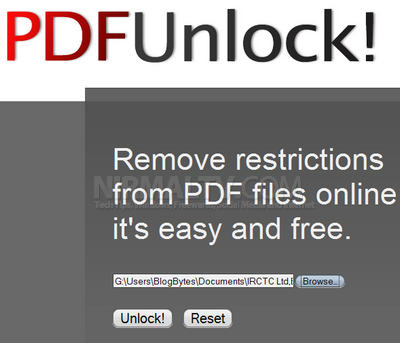
Browse for the file from your PC and click the Unlock button, the service will upload the file and then unlock it. The maximum size of file is restricted to 10MB.
If a password is required to open the uploaded file, you will be asked to enter it (user password) and PDFUnlock cannot, however, recover lost or unknown user passwords. Further, if a PDF file is subject to non-standard encryption, such as DRM, PDFUnlock will not be able to remove those restrictions.
In simple terms, the service can remove only owner passwords.








Heyy 🙂 Is it okay that I go a bit off topic? I am trying to view your page on my new iPhone but it won’t display correctly, do you have any recommendations? Should I try to find an upgrade for my software or something? Thanks for the help I hope! Tana x 🙂
Nice post!
But you still wondering how to unlock PDF? With Mac PDF unlocker it is an easy thing to do. It will quickly and conveniently open PDF files protected either with “Owner” passwords or “User” ones.
Thanks for a good post! And by the way, with PDF unlocker it is guaranteed that you unlock PDF within a few steps: choose the search method, choose the type of the password to unlock, and start the search! chek it: http://www.unlock-pdf-password.com/unlock-pdf/
It is a really good post i really get help from it thanks and one more tool helped me as same as above utility. It tool is named as PDFWARE Unlocker it is new but an awesome………. really thank both tools.