

Personal Folders Backup is a freeware add-in for Outlook 2010 which helps you to creates backup copies of your .PST files at regular intervals, making it easy to keep all of your Outlook folders safely backed up. You can back up all the .PST files in case there are multiple accounts configured in your Outlook. With Personal Folders Backup, you can choose which of your .PST files you wish to back up, and how often you wish to back them up.

Once installed, the add-in can be accessed from the Add-in tab in Outlook 2010.
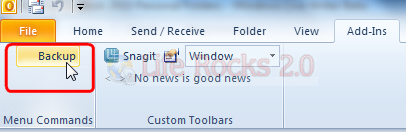
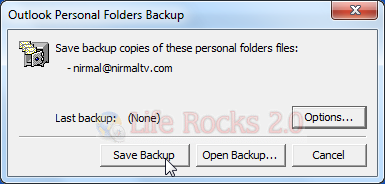
You can select the location to save the back up. You can also view all the existing back ups available.
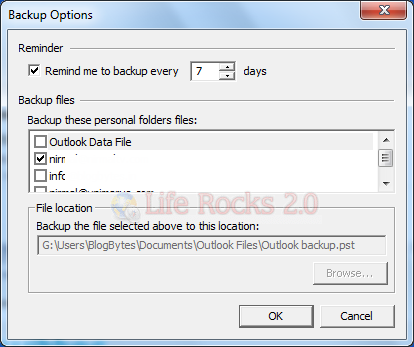
From the options menu, you can select the accounts to back up. There is also an option to remind you to back up files.
Each .PST file contains all of your Outlook folders, including the Inbox, Calendar, and Contacts. You can have a single .PST file (usually called “Internet Folders” or “Personal Folders” in your Folder List), but you might also have an additional .PST file that you use for archiving (“Archiving Folders”). Personal Folders Backup lets you back up any or all of these .PST files.
Download Personal Folder Backup


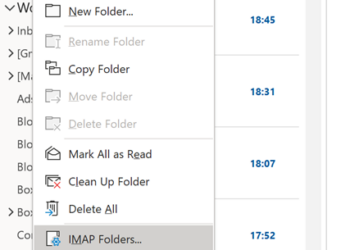
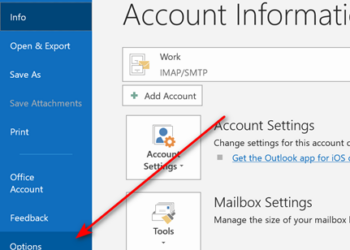


How to enable Personal Folders Backup add-in to work with Outlook 2010
http://support.microsoft.com/kb/2061546
Good tool.
This can suffice for most home users as well as single users but when scalability becomes a concern, it is better to have a centralized Outlook backup solution especially on large corporate networks.
The registry fix does not work with Outlook 2010 64 bit…and trying to install pfbackup.exe doesn’t work either.
All you get is the msg. can’t be installed because you do not have Outlook 2000, 2003 ,2007 installed.
better update this post.
thanks
For companies I would use an Outlook Backup Tool like this one here: http://www.lookeen-backup.com/
It is not for free, but you can be absolutely sure that everything is save! Beside saving mails, contacts and all other Outlook datas it also saves options!
A friend of mine use Outlook backup tool Lookeen Backup Manager and he is very happy with this tool. Try out this backup tool http://www.outlook-backup.com/en/buy.html and you will see!