When you have two version of the same document which are edited by different people, it isn’t an easy task to compare the changes done by each person and finally merge them. Word 2010 provides an option to compare and then combine two documents. You can easily compare the two versions of a document and then combine revisions made by multiple authors into a single document.
To compare and combine documents, select the review tab and click the compare button. Here you will be able to see the option to Compare and combine documents.
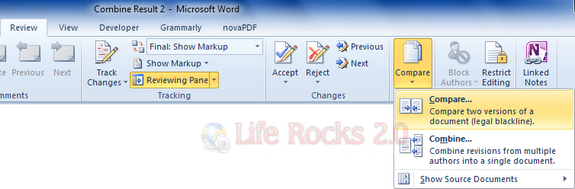
Compare and Combine feature provides you with option to compare the document. You can select the documents and check the box against the settings for which you want to compare the documents.
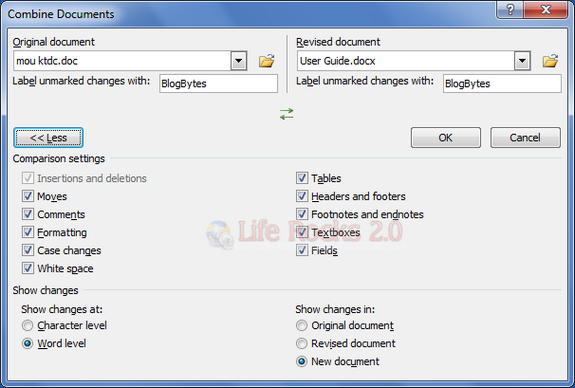
When you click OK, Word 2010 loads up with both the document open as well as the differences between the documents highlighted in red color.
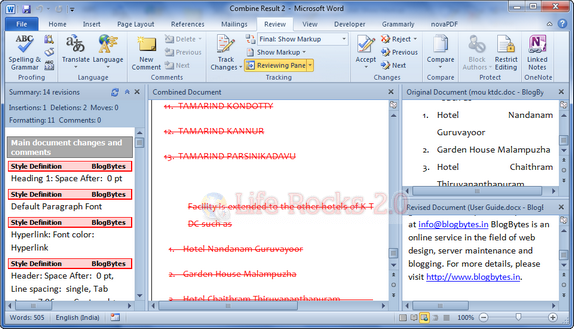
Once you are OK with the changes, you can click the Accept button on the review tab and changes made are accepted to the document.