

Grammarly is a free add-in for Microsoft Office 2010 which enables you to check the grammar and spelling of your text documents. The add-in works on all the applications in the Office suite. It has an accurate grammar checking technology to find mistakes in your writing and then provides straight-to-the-point explanations and suggestions for improvement. It could be useful when you have written a document or an email and want to check the grammar.
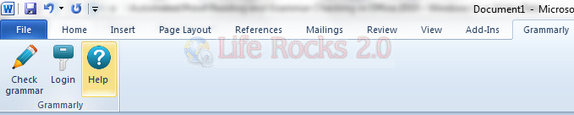
Once installed, it adds a tab Grammarly and when you need to check the grammar, click on the Check Grammar button.
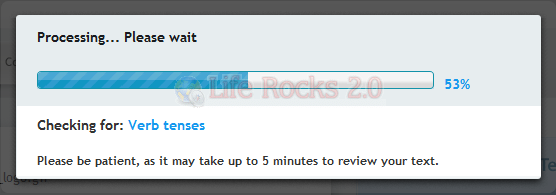
The tool analyzes the text online and provides you with a report on the issues.
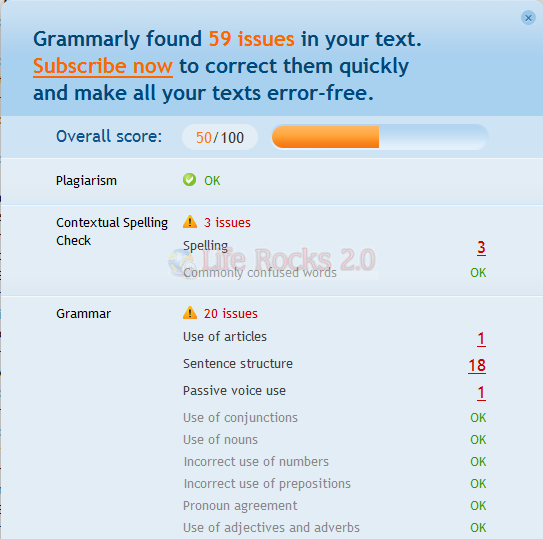
It provides with a detailed report, but if you need to fix the issues, you need to get a paid subscription.
Features;
- 150+ Grammar Checks- Check your text for use of grammar rules you never knew existed. Get accurate error explanations.
- Plagiarism Detection- Find borrowed text before it gets you into trouble. Automatically generate references.
- Vocabulary Enhancement- Use words that make an impact. Liven up your sentences and improve readability with context-optimized synonyms.
- Contextual Spell Check- Spot correctly spelled words used in the wrong context. No more embarrassing typos like then-than, to-two-too, lose-loose.
- Microsoft Office Integration- Check your writing directly from MS Word or Outlook for improved productivity and peace of mind.
It works with Office 2003, 2007 and 2010. Grammarly is a nice add-in which will help you proof read business documents, papers, correct grammar and enhance written documents of any level.




Hi Nirmal. Thanks for writing about this. But surely there must be spelling and grammar-checkers that don’t require paid subscriptions. This is useless unless you’re prepared to shell out money. I would be good if you could review a true free product of this nature. But thanks anyway.