In case of a system failure or BSOD on Windows 7, it automatically restarts the PC. Because of this reason, you might be able to find the reason which caused system failure on Windows 7. In case you want to investigate on the error and manually restart the PC, you can disable the automatic restart of Windows 7 on system failure.
To disable automatic restart on system failure, open Control Panel and navigate to System and Security. Under System and Security, click on System link.

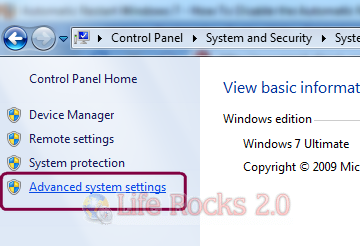
In the system information, on the left side you can see “Advanced System Settings” link.
In the advanced system settings window, you can see the startup and recovery options below.
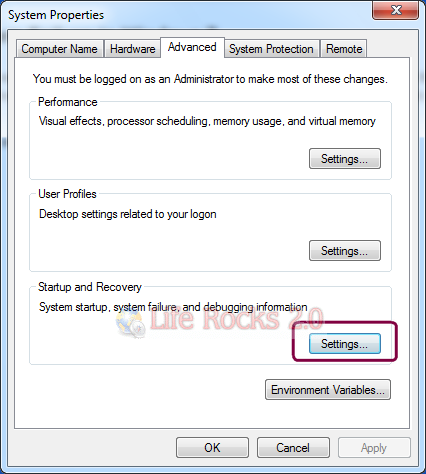
Click on the settings button for startup and recovery.
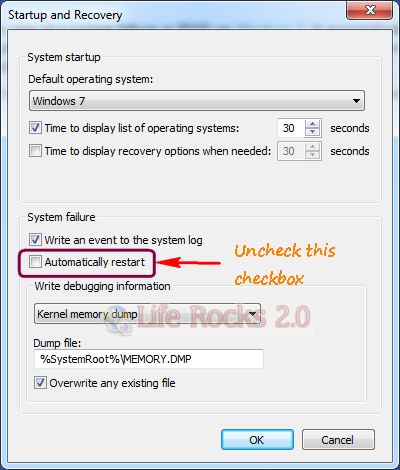
Here uncheck the box against “Automatically Restart” and click OK. Now close the control panel. Next time Windows encounters a system failure, you need to restart the PC manually.