

If you want to copy or move files from different locations on your hard disk to one single folder, then File Bucket is one of the easiest tool available. It can easily create a collection of files from various locations and then copy them all to new destination. The application is completely portable and does not require any installation and the interface is very simple to use.
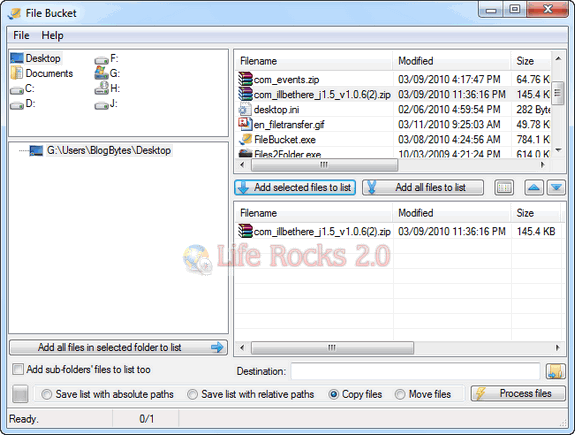
The interface has 4 windows, one of the drives, second one below list out all the folders in the selected drive and the third one on the top right for selecting files. Once you select the files, you can use the button below to add them to the final panel. Once you have added files from different location, you can set the destination folder.
There is also option to move files or copy files, apart from this you can optionally add sub folders files to the list.
File Bucket is a very useful tool to move files from different location to a single folder and worth trying.







