

ExcelArt is a freeware application brightens up your Excel spreadsheets by importing your image files to create little works of art. You can convert Bitmaps, Jpegs, GIFs and PNG images into colourful mosaics in minutes or even seconds. You do not have to do any manual work, just import the image to the tool and set the resolution, resolution is based on the excel cells. Click on the Create ExcelArt button and your Excel mosaics are ready in few minutes.
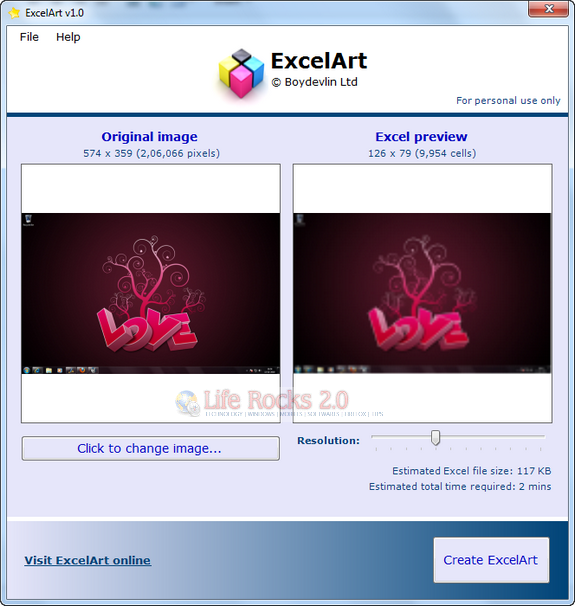
The application is completely portable and does not require any installation. You can use the slider to set the resolution of the image in Excel sheet. The application estimates the size of Excel sheet based on the resolution and also the time required to make it.
Here is a sample output of Mona Lisa created using this tool.
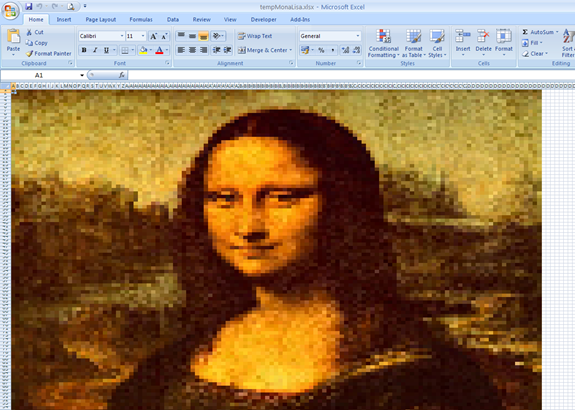
Note that the program requires Excel 2007 (or higher) to be installed. It will not work with previous versions of Excel since these limit the number of colours per worksheet.








Hi Nirmal
Many thanks for featuring ExcelArt on your site.
Just for info, version 1.1 is now available at our site (http://www.boydevlin.com/excelart.htm).
ExcelArt is now compatible with all versions of Excel from Excel 97 onwards. And you can now also convert you images to Black&White or Sepia rather than full colour.
Kind regards
Richard
Boydevlin Ltd