
Advertisements


Taskbar Eliminator is a simple and free utility which will easily remove the taskbar from Windows XP, Windows Vista, or Windows 7. You can hide or show taskbar with a click of a button. The taskbar can be toggled on and off in real-time, providing the flexibility to quickly view the taskbar to perform an action. Hot keys allow you to quickly do the job of hiding or showing the taskbar.
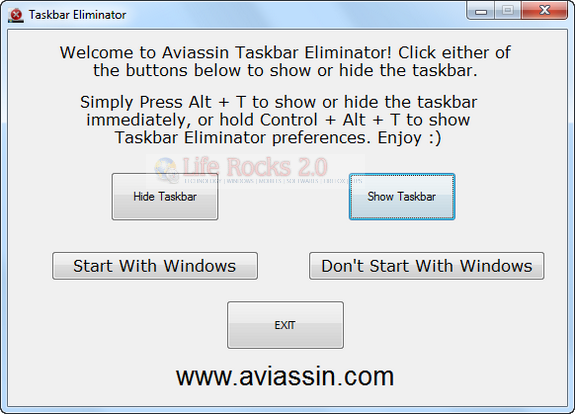
Taskbar Eliminator settings

The application interface is simple and easy to understand and you can use Control+Alt+T to bring up the Preferences window, from which all options can be adjusted. Press and hold Alt + T to immediately show or hide the taskbar directly.
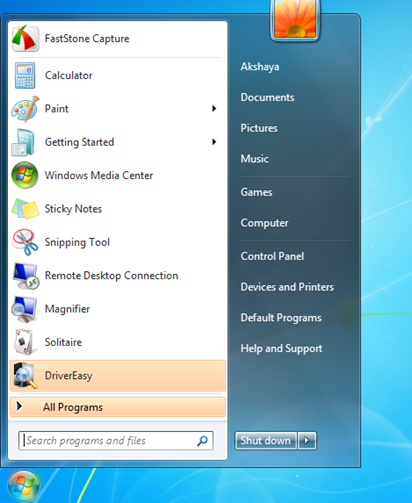

Taskbar Eliminator

Download Taskbar Eliminator

Written By Nirmal

Nirmal is a Technology Blogger and a Microsoft MVP in Windows. Nirmal is also the editor-in-chief and owner of Life Rocks 2.0. He can be contacted at nirmal@nirmaltv.com. You can also follow him on Twitter @nirmaltv

SHARE THIS
ARTICLE
digg_32  stumbleupon_32  twitter_32  facebook_32  delicious_32
friendfeed_32  reddit_32  technorati_32  yahoobuzz_32  rss_32

4 Responses to “Hide Windows Taskbar with Taskbar Eliminator”

  1. [...] Taskbar Eliminator [via Life Rocks 2.0] | More document.write(''); This article was originally written on 01/30/10 Tagged [...]

Leave a Reply

More in Freewares (5 of 5 articles)





