

With the default Windows task manager, you can only kill one process at a time and there is no advanced option to kill processes based on criteria. Auto Kill Any Process is a very useful utility, to kill Multiple-Sets of different processes at once, by simply launching the program. This can come in handy if you want to cleanup relevant processes, after working with any application, or if you want to clear a set of expendable processes before starting another RAM intensive application, in just a few seconds, instead of using the tedious task manager.
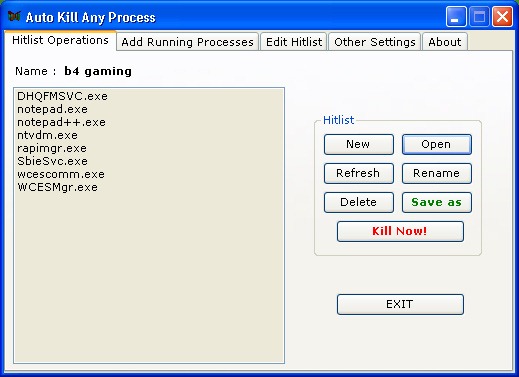
Auto Kill Any Process was found to be not compatible with Windows 7, it should work properly with Vista and XP.
Features;
- Ability to kill multiple processes, at once, from a single hit list
- Add to windows start-up, to terminate stubborn start-up processes
- Can run in Silent Mode – without any prompts or messages (one time configuration needed)
- Allows multiple hit lists, with a choice to save any one particular combination
- Choose the above combination at runtime or design time
- Kill individual running processes, useful for NOT RESPONDING processes
- Kill individual processes, from a Hit list as well, instead of killing ALL of them
- Provides log entry for the each termination, so that users can know the termination status of each process
- Error log also available, to help understand any problem and to report bugs
- Auto clearing of termination logs, to save disk space
Download Auto Kill any Process







