

If you are looking to customize drive icons in Windows 7, then SevenDriveIconChanger is a simple and easy to use utility. This free utility can change the Windows 7 drive icons to custom icons of your choice, all you need to do is to get free images in .ico format. Only icon files are accepted by this tool to change the drive icons. The interface of the application is very simple, select the icon file and the drive you want to change and then click change icon.
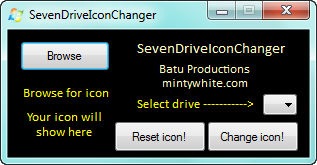
The application does not require any installation and is completely portable. Make sure that you run the application in administrator mode or else it might not be able to change it.
There is also option to reset it to the default on in case you want the default Windows 7 icons.
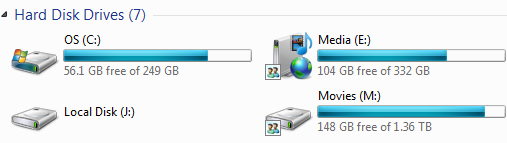
If you are not having icon file, you can easily change them to .ico format using free tools available.
Related: How to Change the Default Icon for Removable Drives
Download SevenDriveIconChanger







