

IE Tweaker is a freeware tool to help you to fix various issues with Internet Explorer. It has also a great number of fixes/tweaks that will help you to enable/disable any options with ease and without getting in to registry. Most of the features can be tweaked using the registry editor, but if you are comfortable editing them, IE Tweaker will be a great utility to do this task.
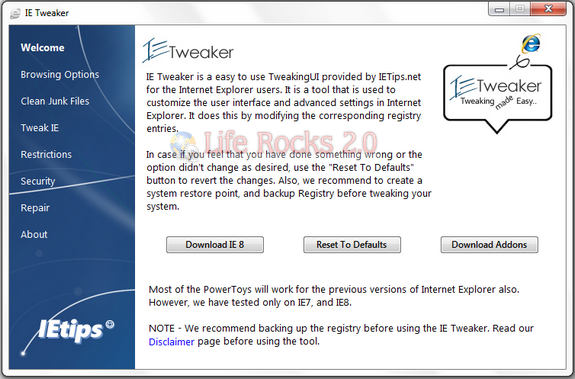
IE Tweaker has the following options;
Browsing Options – This menu option helps you to quickly turn off/on the following:
Smooth Scrolling, Clear type font, Animation, Sounds, Picture Display, Automatic Image resizing
Clear Junk Files – This option will help you to quickly remove all the temporary IE files, cookies, history, passwords, and AutoComplete data.
Tweak IE – Tweak IE menu has the following tabs:
- Basic Tweaks – Offers you the basic tweaks such as Turn off/on Menu bar, Favorite bar, Tabbed browsing, Full screen mode, Caret Browsing support etc.,
- Browser Menus – Helps you to disable/enable the Browser Menus
- Toolbars – Helps you to hide/unhide the various options on the bars and also the bars itself such as Status bar, command bar etc
- Control Panel – Helps you to hide/unhide the various tabs in Tools -> Internet Options.
- Advanced – Helps you to Turn off/on various options such as Compatibility view etc., and also allows you to change the IE Title, and Default download directory options.
Restrictions – This menu option has the following tabs:
- Restrictions tab – Provides you various restriction options such as Changing default search provider, Add-ons management, Auto complete features etc.,
- Settings tab – Restricts the users to change various settings.
Security – Allows you to enable/disable options such as InPrivate Browsing, Filtering etc.,
Repair – Repair menu option provides you various options to repair/fix various issues that you have with Internet Explorer.
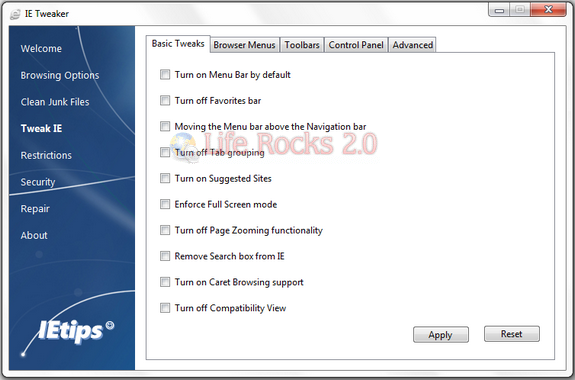
IE Tweaker comes with more than 90 options for fixing and tweaking IE.
Download IE Tweaker [Via







