

RAR is considered a better compression than Zip files. To Open RAR files, you need to install WinRar which is not a free application. RAR File Open Knife is a fast and easy-to-use tool that opens RAR files. This application works only on RAR files and very easy to use as there are many ways to extract the RAR files using this tool. This tool also has Windows Explorer integration, so that you can open the files from the right click menu.
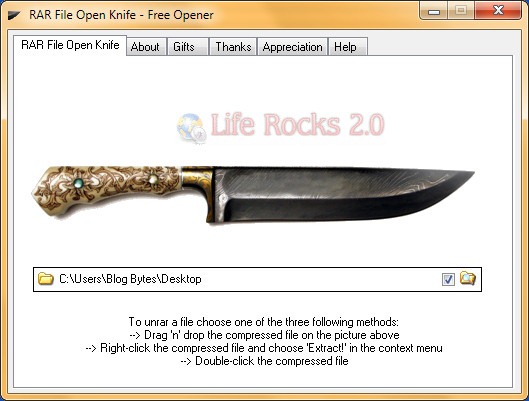
RAR File Open Knife automatically creates new subfolders for each RAR archive it opens. The new folders are named automatically after the archive being opened. You can extract a RAR file using any of the steps mentioned below.
- Drag ‘n’ drop the compressed file on the picture above the short instructions.
- Or: Right-click the RAR-archive and choose “Extract!” in the context menu.
- Or: Double-click the RAR file.
Another good feature of this tool is that it is also available for download in portable version so that you can carry in USB drives.







{cough} 7zip {cough}
much better than zip central, winzip or anything like that + handles zips, rars, .iso, .cab, .gz etc etc
Cool, I am always ready to check out new software. I hope it can match the performance of 7-zip.
I was always facing problem to open a .rar file . It was showing error “window cannot open this file ” Now after this my problem has been solved .Thank’s for this tip