

The present digital cameras offer several mega pixels for capturing images and at the same time the image size becomes very large. Resize My Photos is a freeware utility for resizing multiple JPEG-images. The interface is easy and intuitive to use and allows you to batch resize your photos just the way you like it. You can drag and drop photos into the application for resizing. The application offers features like setting the quality of the resized image, setting the new size manually and also adding custom prefix to all the resized images.
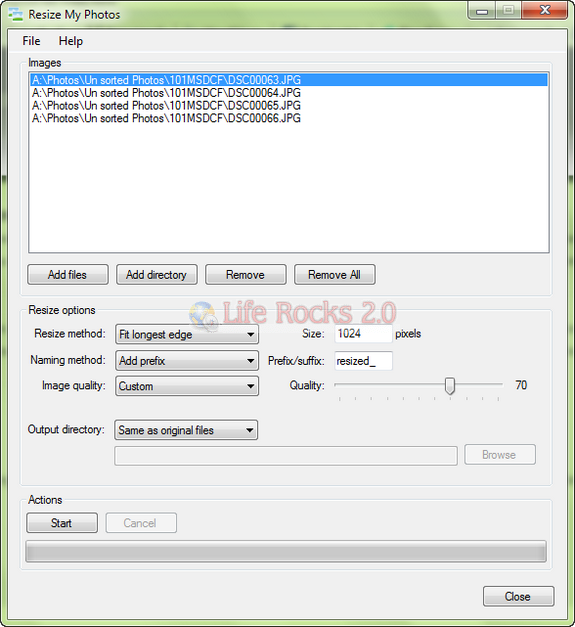
Features of Resize My Photos;
- Resize multiple JPEG files at once (batch resizing)
- Supports selecting folders or files
- Resize images by limiting the longest edge (fit to a box), height or width
- Add a prefix or suffix for output images
- Manually set output directory or use the same directory as original files
- Set image quality for resized images
- Open images or folders by dragging and dropping them from Windows Explorer to Resize My Photos (or on a shortcut)
- Open images or folders by right clicking on them in Windows Explorer context-menu
- Asks user for confirmation before any files are overwritten







Thanks Nirmal ” Resize My Photos ” Downloaded