

Microsoft has released the Technical preview of Office 2010 to selected people. Office 2010 comes in with lots of new exciting features and improvement over the previous versions. One of the application which has gone for a major change is Outlook 2010, which now integrated the ribbon feature, which was previously not available in Outlook 2007. Apart from this, there are also other new features like conversation view, clean up folders etc. We will have a walk though of new features in Outlook 2010 with screenshots.
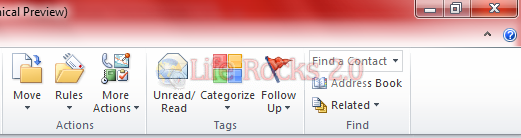
1. Ribbon in Outlook 2010: The ribbon in Outlook 2010 houses all the features and tasks which was previously available in the menu in Outlook 2007. With the ribbon, the icons are more clearer and easy to use when compared to previous version.

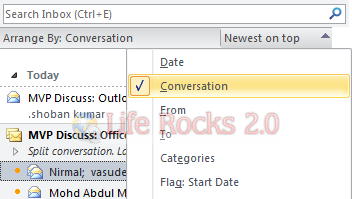
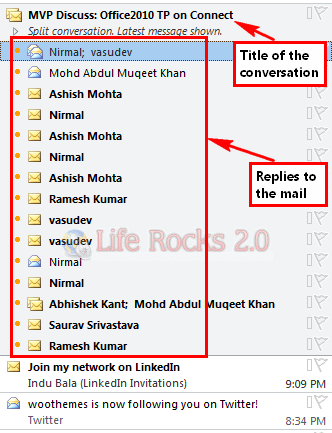
2. Conversation View: With Outlook 2010, you can view messages as conversation, which means if someone replies to your mail, then both the mails are combined together to show as one. On click on the mail, all the mails under the conversation are displayed. You can enable or disable Conversation using Arrange By option.
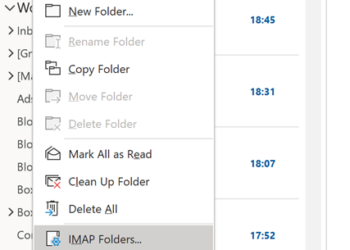
3. Clean Up Folders and Conversation: Clean Up conversations or folder and sub folders is again a new feature added to Outlook 2010. With this feature you can easily remove all the redundant emails from any folder and subfolder or even from a conversation.
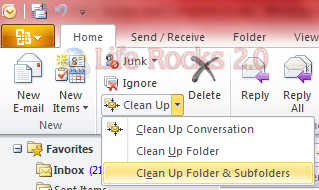
When you select this option, you get the confirmation message that by default these mails will be moved to Deleted Items folder.
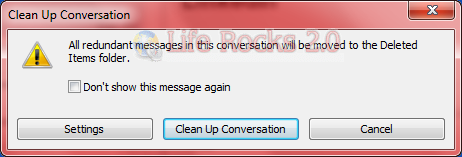
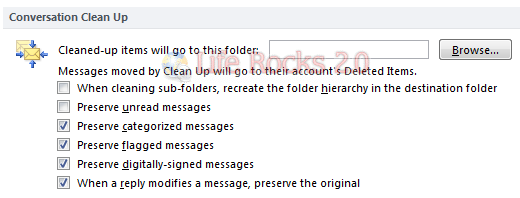
In the settings, you can set up more options and also select the folder where these mails will be moved when clean up is done.
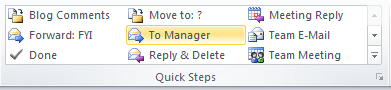
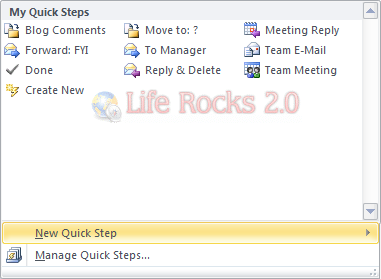
4: Quick Steps (Ribbon Menu): Quick Steps is an item available in the menu which makes tasks easier by providing set of actions which are more frequently used. you can customize this option based on your needs, you can create or edit quick steps menu.
Overall Outlook 2010 is looks great and definitely improved over the previous version. These are few of the new features which are added in Outlook 2010. We will be covering more tips, tricks and tutorials on Office 2010, so keep reading.



Looks nice. Can’t wait to get my hands on the beta. As an add-in developer it’s always rather nerve-wracking until you can actually check your carefully and lovingly crafted application will work with the new Office version (without a major overhaul) 😉
Too bad CleanUp folder doesn’t do anything! I even tried cleaning it with subfolders option but nothing gets moved no matter what variation of settings I tried 🙁
My main question is are they still using Word to render their Outlook email? When they did this for 2007, they really screwed up. Taking away the use of background images, animated gifs, stripping most padding etc. makes it impossible to do a nice looking email marketing campaign without having to make it all 1 huge image, sacrificing file space.
Where on earth can I find a complete instruction book on How to use Outlook 2010 in detail…..
Email but especially THE CALENDAR!