

Peacock Color Picker is a free professional color picking tool designed to offer ease-of-use in combination with a lot of powerful and advanced features. This tool is useful for web developers and designers for selecting colors. This product was developed keeping programmers, web designers and graphic designers in mind. Basically Peacock Color Picker allows you to choose any color from the 16,581,375 colors available on your computer screen. The in built zooming in tool allows you to select any color you want.
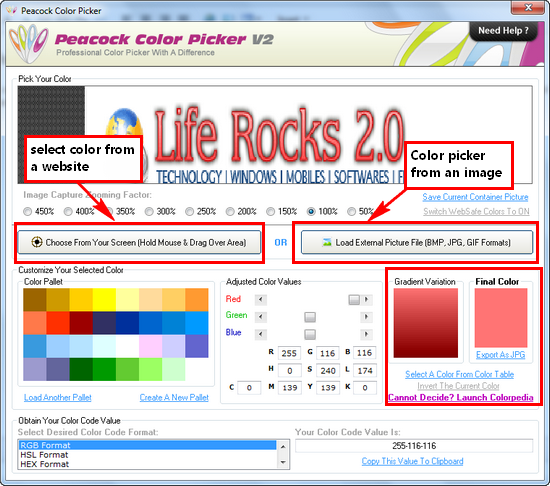
The application is very easy to use even though it has many advanced features. It has a new and revolutionary fade out system that automatically hides the application’s main window to give you an unobstructed view. Apart from this, it also features Colorpedia which offers a huge range of named color shades to assist you in selecting the right color that you are looking for.
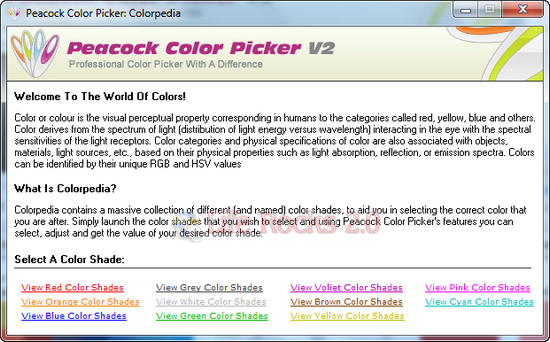
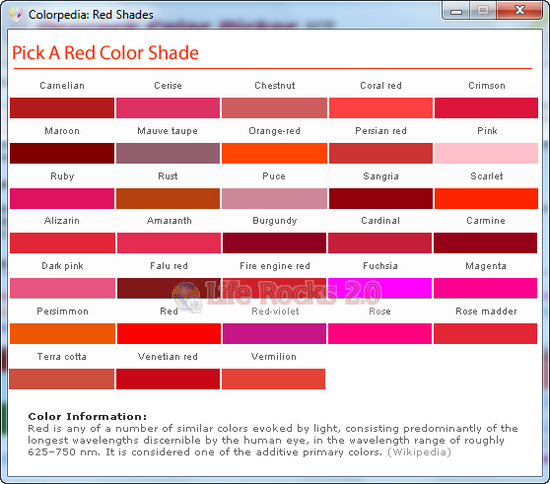
Colorpedia has different color shades and each one has various named colors available in them.
Peacock Color Picker supports the following color code values:
- HTML Format Color Values (#0D8DEA)
- Borland Delphi Color Values ($00EA8D0D)
- Java Color Values (0xD0D8AE)
- Microsoft C++ Color Values (0x00EA8D0D)
- Microsoft Visual Basic Color Values (&HEA8D0D&)
- Microsoft Expression Web Color Values (Hex={D,8D,EA})
- Long Format Color Values (15371533)
- HSL Format Color Values (136-214-116)
- CMYK Format Color Value (221-93-0-21)
- RGB Format Color Values (13-141-234)
- HEX Format Color Values (D,8D,EA)
- Adobe Photoshop Color Values (D0D8AE)
- Adobe Fireworks Color Values (#0D8DEA)
- Exports Color To JPG (For use with any built-in color pickers)
Peacock Color Picker is a very advanced, yet completely free of cost application for web designers.






