

Outlook Essentials is a simple and easy to use Outlook 2007 Add-in that will bring in some essential features which are not available in Outlook 2007. This add-in allows you to print your emails and check for missing attachments and blank subject line. Many time we forget to add attachments to the email even though we specify that mails have attachments. This add-in can be useful in such instances.
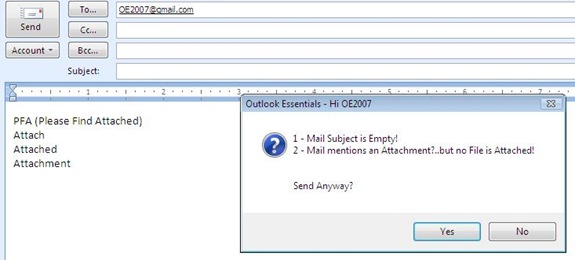
In case you have mentioned words like attachment, attached etc and there is no attachments added, this mail will sent out a warning. It will also warn you about empty subject line.
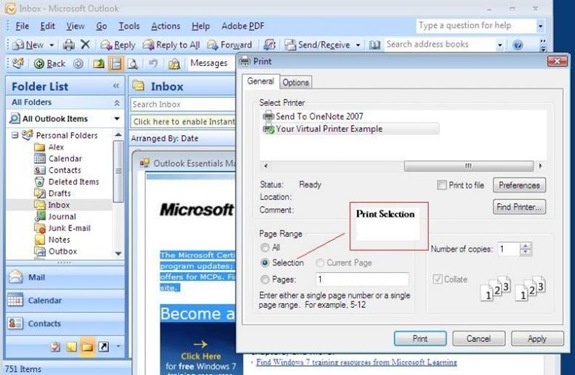
Printing a part of the email is another feature which is missing in Outlook 2007 and this add-in adds a feature where in you can print a selected part of email. Right click a mail you are interested in and you will find an Outlook Essentials Viewer option in the Context Menu. Select this and your mail will open in a “Outlook Essentials Viewer”, from where you can print the selected part.








Simple, yet very useful Add-on. And it’s free!!!
Attachment alert will not be displayed if there an image like company logo in your signature.