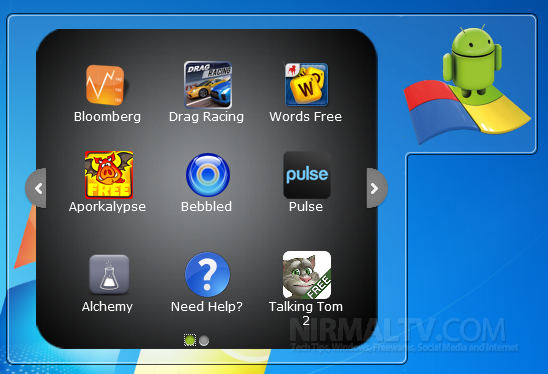
One of the new features announced in Windows 7 RC is the availability of XP mode. Одной из новых особенностей объявлено в Windows 7 RC является наличие режима XP. Windows XP Mode for Windows 7 makes it easy to install and run your Windows XP applications directly from your Windows 7-based PC. Режим Windows XP Для Windows 7 позволяет легко устанавливать и запускать Windows XP приложения непосредственно из Windows 7 ПК на базе. It utilizes virtualization technology, such as Windows Virtual PC, to provide a virtual Windows XP environment for Windows 7. Он использует технологию виртуализации, таких как Windows Virtual PC для обеспечения Windows XP виртуальную среду для Windows 7. With this features, Windows XP Mode applications can be seen and accessed from a Windows 7 desktop. С этой функцией, Windows XP режим приложений, которые можно увидеть и доступны из Windows 7 Desktop.


If you want to enable the XP mode, you need to download additional software and install it on top of Windows 7 RC. Если вы хотите включить режим XP, вам необходимо скачать дополнительную программу и установить ее поверх Windows 7 RC. Here are the steps to enable XP mode on Windows 7. Вот шаги, которые позволят XP режиме на Windows 7.
1. 1. First you need to make sure that Сначала нужно убедиться, что Hardware Virtualization Technology Технология аппаратной виртуализации is enabled, which means the CPU should support for hardware virtualization. включен, это означает, что процессор должен поддерживать для аппаратной виртуализации. This can be checked using the Это может быть проверено с помощью Intel Processor Identification Utility Intel Processor Identification Utility . . If your CPU is enabled for hardware virtualization, make sure that it is enabled using the BIOS settings. Если ваш процессор включен для аппаратной виртуализации, убедитесь, что она включается с помощью настройки BIOS.

Virtualization Technology can be enabled in the BIOS settings under the System Configuration tab. Технология виртуализации может быть включен в настройках BIOS на вкладке "Настройка системы.
2. 2. Once you make sure that CPU supports virtualization, you need to download Windows XP Mode Beta and Windows Virtual PC Beta. Как только вы убедитесь, что процессор поддерживает виртуализацию, вам необходимо загрузить Windows XP режиме бета и Windows Virtual PC Beta.
- Download Windows XP Mode Beta Скачать Windows XP режиме бета (445.4 MB – 890.7 MB) (445,4 МБ - 890,7 МБ)
- Download Windows Virtual PC Beta Скачать Windows Virtual PC Beta (4.9 MB – 10.6 MB) (4.9 МБ - 10.6 МБ)
3. 3. Once you have installed these application, you can start using the XP mode in Windows 7 RC. После установки этих приложений, вы можете начать с помощью режима XP в Windows 7 RC.
Other Requirements for XP mode; Другие требования в отношении режима XP;
- Windows 7 RC Windows 7 RC
- 1 GHz 32-bit / 64-bit processor required 1 ГГц 32-бит / 64-разрядных процессоров необходимы
- Memory (RAM) – 1.25 GB required, 2 GB memory recommended Оперативная память (RAM) - 1,25 ГБ требуется, 2 ГБ памяти, рекомендованный
- Recommended 15 GB hard disk space per virtual Windows environment Рекомендуем 15 Гб на жестком диске для каждой виртуальной среде Windows
- NB: Windows XP Mode is only available in Windows 7 Enterprise, Windows 7 Professional, and Windows 7 Ultimate. Н.Б.: Windows XP режим доступен только в Windows 7 Enterprise, Windows 7 специалистов, и Windows 7 Ultimate.
Windows Virtual PC features for Windows XP Mode; Windows виртуальных функций ПК для Windows XP режим;
- Once both the Windows Virtual PC and the virtual Windows XP environment are installed, Windows Virtual PC provides a simple wizard to setup the Windows XP Mode with just a few clicks. После того как оба Windows Virtual PC и виртуальной среде Windows XP установлены, Windows Virtual PC предоставляет простой мастер для настройки Windows XP режим с помощью нескольких щелчков мыши.
- Users can access USB devices attached to Windows 7 directly from Windows XP Mode. These devices include Printers and Scanners, Flash Memory/Sticks and External Hard Disks, Digital Cameras and more. Пользователи получают доступ к USB устройств, подключенных к Windows 7 прямо из Windows XP режиме. К таким устройствам относятся принтеры и сканеры, флэш-память / Sticks и внешние жесткие диски, цифровые камеры и многое другое.
- Publish and Launch applications installed on Windows XP Mode directly from the Windows 7 desktop, as if they were installed on the Windows 7 itself. Публикация и запуска приложений, установленных на Windows XP режиме непосредственно из окна 7 Настольный, как если бы они были установлены на самой Windows 7.
- Access your Windows 7 Known Folders - My documents, Pictures, Desktop, Music, Video, from inside the virtual windows environment, such as Windows XP Mode Доступ к Windows 7 Известные Папки - Мои документы, рисунки рабочего стола, музыка, видео, внутри виртуальной среде Windows, такие как Windows XP режим
- Cut and paste between your Windows 7 and Windows XP Mode. Вырежьте и вставьте между Windows 7 и Windows XP режим.
- Print directly to your attached printer from your Windows XP Mode applications either in application mode or desktop mode. Печать непосредственно на ваш принтер из приложений Windows XP режиме либо в режиме приложений или рабочего режима.
More information available Более подробная информация доступна here здесь . .


Apple in Talks to Buy Twitter for $700 Million-May Be A Rumor Apple ведет переговоры о покупке Twitter за $ 700 млн могут быть слухи
http://teentechguru.wordpress.com/2009/05/05/apple-in-talks-to-buy-twitter-for-700-million-may-be-a-rumor/ http://teentechguru.wordpress.com/2009/05/05/apple-in-talks-to-buy-twitter-for-700-million-may-be-a-rumor/
check this out………… Check This Out ... ... ... ...
*sigh* * вздохнув *
I do hate all these different types of OSs. Я ненавижу все эти различные типы операционных систем. Windows Vista Basic, Home Premium, Business, Ultimate; Windows Vista Basic, Home Premium, Business, Ultimate;
Windows 7 Enterprise, Premium, and Ultimate. Windows 7 предприятий, Premium и Ultimate. Why can't they just go back to the good ol' days of one SINGLE GOOD operating system? Почему они не могут просто вернуться к старым добрым дней одного одна операционная система хорошо?
Oh yeah, there were none. Ах да, там не было.
Nice information. Nice информации. Thanks for sharing Спасибо за обмен
[...] via [...] [...] Через [...]
@ Sanjeev @ Sanjeev
Was that directed at Nirmal, me, or Dinesh? Было то, что направлено на Nirmal, меня, или Динеш? 'Cuz it sounded kinda sarcastic. 'Cuz оно прозвучало любопытное саркастически.
[...] via|nirmaltv [...] [...] Через | nirmaltv [...]
[...] PC, to provide a virtual Windows XP environment for Windows 7. [...] ПК, чтобы обеспечить виртуальный Операционная система Windows XP Для Windows 7. We have already written about the minimum requirements to run XP mode and also done a detailed review on the XP mode. Мы уже писали о минимальные системные требования для запуска XP режиме, а также сделал подробный обзор о режиме XP. Windows XP mode which was previously in beta stage [...] Windows XP режим, который был ранее в стадии бета-версии [...]
@Matthew @ Матфея
Oh…I hope there is a misunderstanding. Ох ... Я надеюсь, что это недоразумение. I liked the information about enabling XP mode on Windows 7 as being on XP I feel almost comfortable to work. Мне понравилась информация об активации режима XP на Windows 7 как на XP я чувствую себя почти комфортно работать. My comment was on the article by Nirmal. Мое замечание было на статью Нирмала. I hope I can praise Windows as I grew up using that! Я надеюсь, я могу похвалить Windows, как я рос помощью этого!
Praising Windows…. Восхваление Windows ....
yeah, I don't think I'll EVER do that. Да, я не думаю, что когда-нибудь сделать. Windows 7 should be more accessible for people using crappy hardware (like me: 1.6Ghz Intel Celeron M Processor and REALLY old school video/graphics card), but I'll just stick to the *FREE* operating system, Ubuntu. Windows 7 должна быть более доступной для людей, использующих Crappy аппаратно (вроде меня: 1.6GHz Intel Celeron M Processor и действительно старая школа видео / графической картой), но я буду просто придерживаться * FREE * операционной системы Ubuntu.
You should check it out sometime. Вы должны проверить его когда-нибудь.