

If you use different network connection on your laptop or computer at office and at home, then switching between the different networks is a tiring task. NetSetMan is a free application for Windows which can easily switch between 6 different network profiles quickly. NetSetMan is a network settings manager utility which can easily change your network settings.
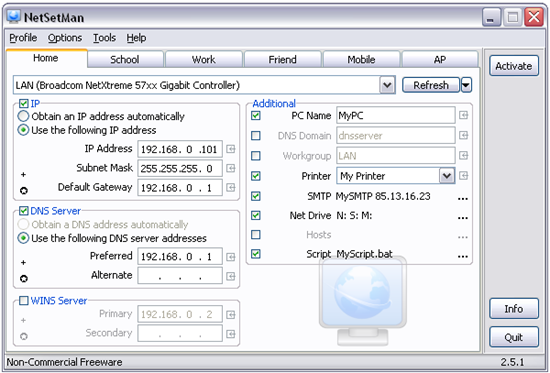
Img Credit:NetsetMan
You can configure settings for the following options for 6 networks;
- IP Address
- Subnet Mask
- Default Gateway
- DNS Server
- WINS Server
- Computer Name
- Workgroup
- DNS Domain
- Default Printer
- Network Drives
- NIC Status
- SMTP Server
- Hosts File Entries
- Scripts
You can see the networks and overview of the IPs from the system tray.
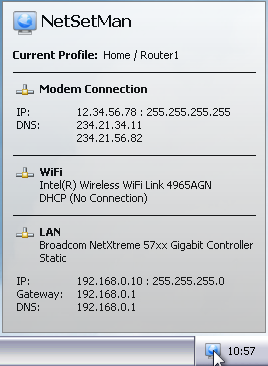
Since all settings and changes are saved automatically in a separate file (settings.ini), you can do a backup or transfer from one PC to another.
NetSetMan is a freeware for non-commercial use only, if you need to use it at office, you need to get a PRO version which also offers more features.








When I was using my college lan, I used it extensively to hide my shadow…
I love this software along with mac-changer.
Thanks for netsetman. its realy useful to us.
I installed netsetman on HP notebook running Vista Home Premium, it crashes every time on startup. Any solutions?
thanks …its really very useful to us