

We all know how important is it to keep a back up of your data. There are many tools to do back up including the default back up in Vista. Safe Backup is a free application that will enable users to easily backup and restore files and directories easily. The user interface is very simple and easy to use and more than that it also supports compression level and restore mode. You can chose the desired compression level by selecting the value available.
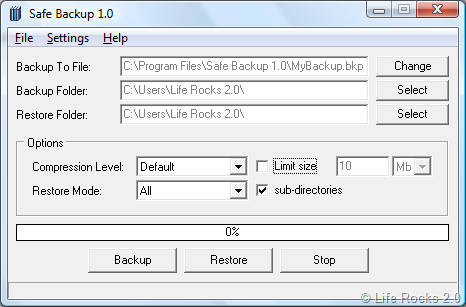
This application also has the ability to split large backup file into several parts. In case you want to split files, you can select the check box against Limit Size and then specify a size for splitting.
Features;
- Backup and restore files and folders easily.
- Set compression level and restore mode.
- Split large backup file into several parts.
Safe Backup is a simple utility with very less features, but does a good job with compression and splitting files.







