

Site Launcher is an add-on for Firefox that enables you a quickly open your favorite websites using only your keyboard. This is similar to any application launcher for Windows. You can configure any number of websites using the shortcut keys and then launch it easily using Site Launcher. In case you have forgot the launch key for any website, you can open the Launcher and then check the hotkey for any website.
You can configure the websites and their hot keys using the Site Launcher shortcuts key manager. This is available as a menu in Firefox.
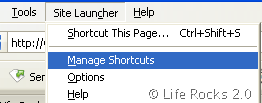
Here you can add any number of websites and their hotkeys for launching.
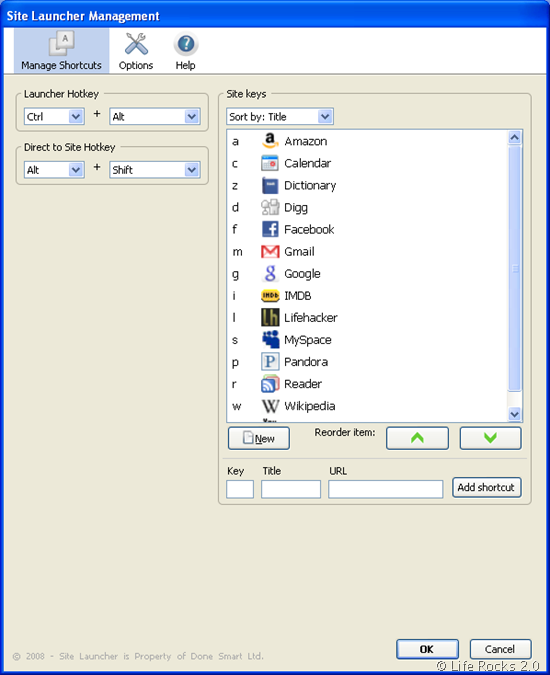
There are 2 sets of hot keys, one is to bring in the Site Launcher which shows all the configured website and their shortcut and second one is to launch the website directly using the keys. These keys are completely customizable.
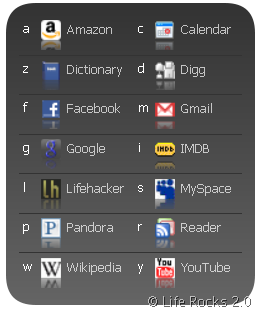
Features of Site Launcher;
- Because each site key is displayed in the Launcher, you don’t have to memorize a bunch of key combination to have shortcuts to loads of sites, only one hotkey.
- Default hotkey is customizable, in case you need it for something else.
- Add as many sites to Site Launcher as you want.
- ust about any character key can be associated with a site, you’re not limited to just a-z, 0-9.
- Highly customizable appearance – change colors, text size, spacing, column size, etc
- Optional visual effects – transparency, rounded corners, and gradients
- You can have your site shortcuts automatically arranged or manually arranged in the order you want them to appear inside the Launcher
- Set Launcher to open sites in current or new tab
- Optionally, set Launcher to appear on startup instead of your homepage
Site Launcher is very useful as a super-fast method for opening websites you use often throughout the day. This add-on is currently an experimental one, so you will need to log in before downloading it.




Nirmal, your reviews are sweet but too short. Please provide link to software homepages as welll. Thanks!
@Transcontinental,
Some of the freewares have features which are self explanatory, so there is no point in writing all small features in detail. I have provided the link to the home page of the Add-on.
BTW Thanks for your feedback!
You should try SuperLauncher. I have tested most Windows launchers and I even like some but the problem with all launchers is that either they make it difficult to input new shortcuts or they go ahead and index my entire PC. The indexers do not support hotkeys, and the ones that do support hotkeys make me type in URLS, or browse my PC in order to add new shortcuts.
With SuperLauncher I drag and drop what I realize is becoming repetitive including websites right off the browser address bar. I simply drag, drop, and either assign a hotkey or list it on the one-click popup menu. Plus I can group shortcuts which means I can open two folders for backup reasons, or I can open all the files that I need to complete a step-by-step procedure, all with one keystroke.
I guess I really love it because of the drag & drop. It is just simple like software should be. Overall it allows me to work fast, and I mean really fast.
I totally recommend it. You can find SuperLauncher at:
http://www.pcwinsoft.com/superlauncher/
Regards,
Alex