

Previously we have written about free applications for screen capture including the in-built Vista utility. Here is another simple and useful screenshot capture utility called Screen Capturer. Screen Capturer makes capturing, printing and emailing screenshots an easy task. Simply press the “Print screen” button on your keyboard and Screen Capturer will ask you if you want to capture the full screen, an application window or a region of your screen.
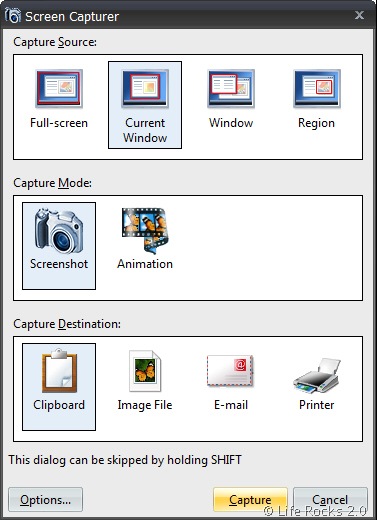
Free Screen Capturer features:
- Capture Full Screen, Current Window, Selected Window, Region
- Save captured images in BMP, JPG, GIF, PNG and TIFF formats
- Saves captured demos in the popular WMV (Window Media Video) format
- Creates new email with captured image attached
- Allows pasting captured images directly into email body
- Easily and instantly accessible via [PrtScr] button
- Pleasant and modern interface
- Fully free
- Safe product, not an adware, spyware or malware







