

When it comes to blogging, presenting articles with images are always good and it becomes essential that we have a good screenshot capture software. Screen Block Grabber is a free utility which is a good screenshot grabbing application. Further more, it also provides options to add some image effects to screenshots. The application also provides a magnifier and picture viewer for better view of the screenshots.
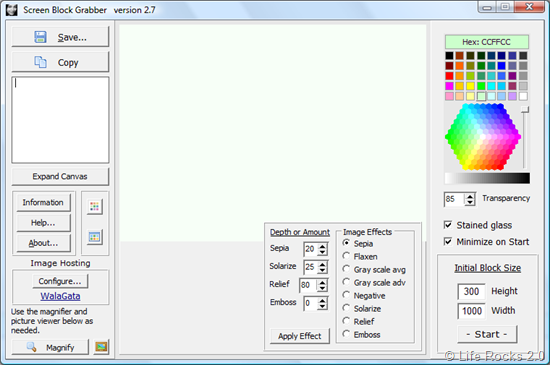
To take the screenshot, first set the Initial block size of the screenshot window using the box at the right hand bottom of the application. Once this is done, click on the Start button right below this and it launches the screenshot window with the specifications mentioned.
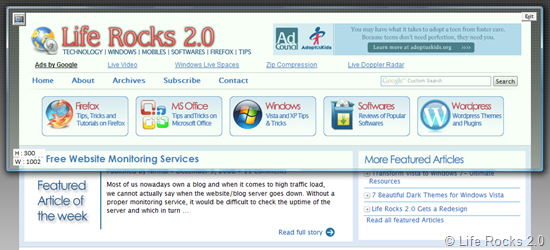
In addition to a stained-glass effect, there are eight image effects that can be applied after image capture. The eight image effects are: sepia with selectable depth value, flaxen, two gray scales, color negation, solarize, relief, and emboss.
Screen Block Grabber is a useful utility for screen capture and editing and worth trying out.








The latest version can be found at the Screen Block Grabber website. http://www.angelfire.com/ar/mathgod/sbg.html