

Tidy Favorites is a new service which helps you to manage your bookmarks easily and effectively. With Tidy favorites you can bookmarks & easily surf the web with this next-generation, user-friendly interface. Tidy Favorites can be used with any browser, be it Firefox, Opera or IE. This bookmarking application is fully customizable to suit your exact needs and also has dozens of exclusive features. Apart from this it also has a portable version, so that you can carry your bookmarks along with you.
Once installed, Tidy Favorites adds two buttons in the browser, they are namely Add to Tidy Favorites and view favorites. To add any bookmark, click on the plus button.

When you open the favorites by clicking on the star button, all your bookmarks are visible as thumbnails. The best feature of Tidy favorites comes here, you can see all the bookmarks from any browser at one place. You can create folder and also tab so that you can group similar bookmarks.
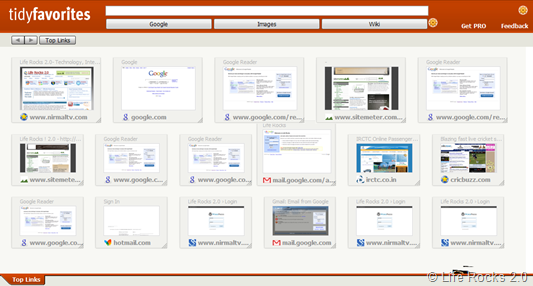
When you click on your favorite links, it opens the site in new window. Apart from this you can also change the settings and thumbnails of each bookmarks and also refresh them. You can also zoom in the thumbnails inside the favorites and also have a Google and Wiki Search inside the bookmarks.
Features;
- Find websites instantly by viewing easy-to-recognize thumbnail images
- Open, copy, delete and update bookmarks in a single click
- Drag and drop to resize and rearrange bookmark thumbnails
- Add temporary links to a “stack” keeping your Tidy Favorites looking tidy
- Search through any website in seconds using a Command Line
- Use the same list of bookmarks in every browser – IE, Firefox, Opera.
Tidy Favorites is also available in many other languages and is a great start up for managing bookmarks. It has a free and PRO version, the PRO version has skin support and also few other added features.








As an alternative bookmark manager i use Advanced URL Catalog. Using this software is easy and it integrates with all browsers.